Model content in Enonic and query it with GraphQL
Contents
This step-by-step tutorial introduces content modeling in Enonic XP and querying structured content and media through Guillotine, Enonic’s GraphQL API.
| Just want to see the result? Run the demo to deploy the finished schemas and sample content locally without going through the chapters. |
Intro
This tutorial teaches Enonic’s core content concepts and schemas — content types, media, form items, references, sets, form fragments, rich text, mixins and permissions — and when to use each one. Every chapter builds on the previous one in a local sandbox: you define schemas, create content in Content Studio, and run GraphQL queries to see directly how your modeled content is structured and accessed.
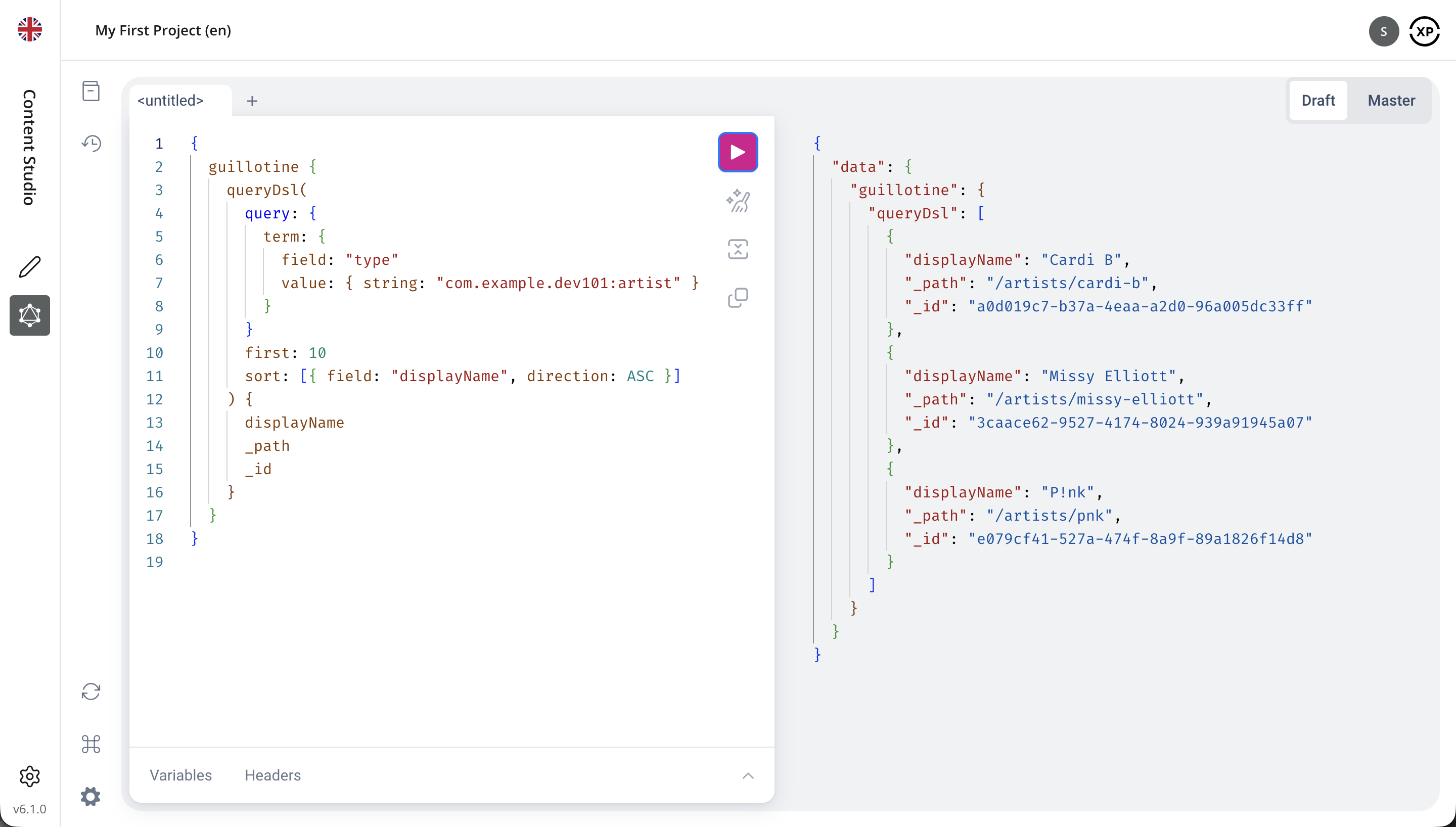
Once your schemas and content are in place, editors manage structured items and media in Content Studio, and Guillotine exposes them automatically through GraphQL:
You will complete the following steps:
-
Set up the CLI, a local sandbox and your own app
-
Create content types and content in Content Studio
-
Query your content through the Headless API
-
Upload images and other media, and serve them scaled and cropped
-
Model richer content with form items, sets and form fragments, rich text and mixins
-
Publish your content and explore read and editorial permissions
-
Export and import your content into another project
Two things to know about scope:
-
No coding. You will not write application code. You will edit YAML schemas, run GraphQL queries, and use ready-to-run cURL requests to test the API. There is nothing to compile or debug.
-
No pages. Sites, pages, layouts and parts - the whole page domain of Enonic - are left out entirely. To learn more about pages, check out the Introduction to Enonic or the Next.js tutorial.
The CMS reference documentation covers every topic in this tutorial in depth, and is the place to go once you know what you are looking for.
| Throughout this tutorial, "XP" refers to "Enonic XP", the platform behind Enonic. |
Prerequisites
No prior Enonic experience is required. Basic familiarity with YAML and JSON is helpful, and GraphQL concepts are introduced as you go.
To follow this tutorial you will need:
You will install the Enonic CLI in the first chapter.
Tested versions
This version of the tutorial was produced and tested with the following stack:
| Component | Version |
|---|---|
|
Enonic CLI |
4.1.4 |
|
Enonic XP |
8.1.2 |
|
Content Studio |
6.1.0 |
|
Guillotine |
9.0.0 |
Using Enonic XP 7? Select 7.x from the version menu on this page.
If you have any questions, or want to get in touch, visit the Forum or join the Community Slack channel.
Get started by setting up your local environment. 🙌