Next.js + Enonic XP = Next.XP
Contents
This is a step-by-step tutorial on building and managing Next.js sites, using Enonic XP as the backend. The combined set of software and tools used in this tutorial is simply called Next.XP.
| Impatient? Skip to the end of the tutorial and get a live demo by following these instructions. |
Intro
Next.XP provides an opinionated out-of-the-box integration between Enonic XP and Next.js for building websites.
It offers content editors a familiar and hassle-free way of working with content, using structured content, component based landing pages, and extensive control over the site’s URL structure.
| Looking to access and use Enonic’s API directly? Check out the Introduction guide, or the in-depth developer 101 tutorial. |
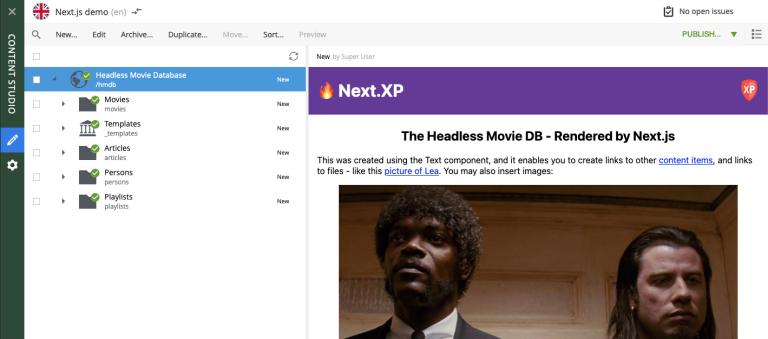
You will complete the following steps:
-
Set up the Enonic SDK and sample content
-
Get familiar with the headless API
-
Learn about the site concept in Enonic
-
Create a Next.js app using a template
-
Activate live preview in Enonic
-
Render content based on type
-
Build landing pages using components
-
Create page templates
-
Learn about static rendering in Next.js
-
Deploy to live servers
Get started by setting up the Enonic development environment.