GraphQL API for headless content
Contents
Get familiar with our cutting-edge headless GraphQL content API.
Introduction
The GraphQL API, aka Guillotine - yes, we take headlessness seriously around here - provides typed access to all the content within your project. Clients requesting content will only get access to the content they are authenticated for. The Intro project is configured with public read access, so every published item is readable for anyone.
Playground
In Content Studio, click the GraphQL icon in the left-hand menu to open Query Playground. Here you may access the documentation and interact with the GraphQL API directly.
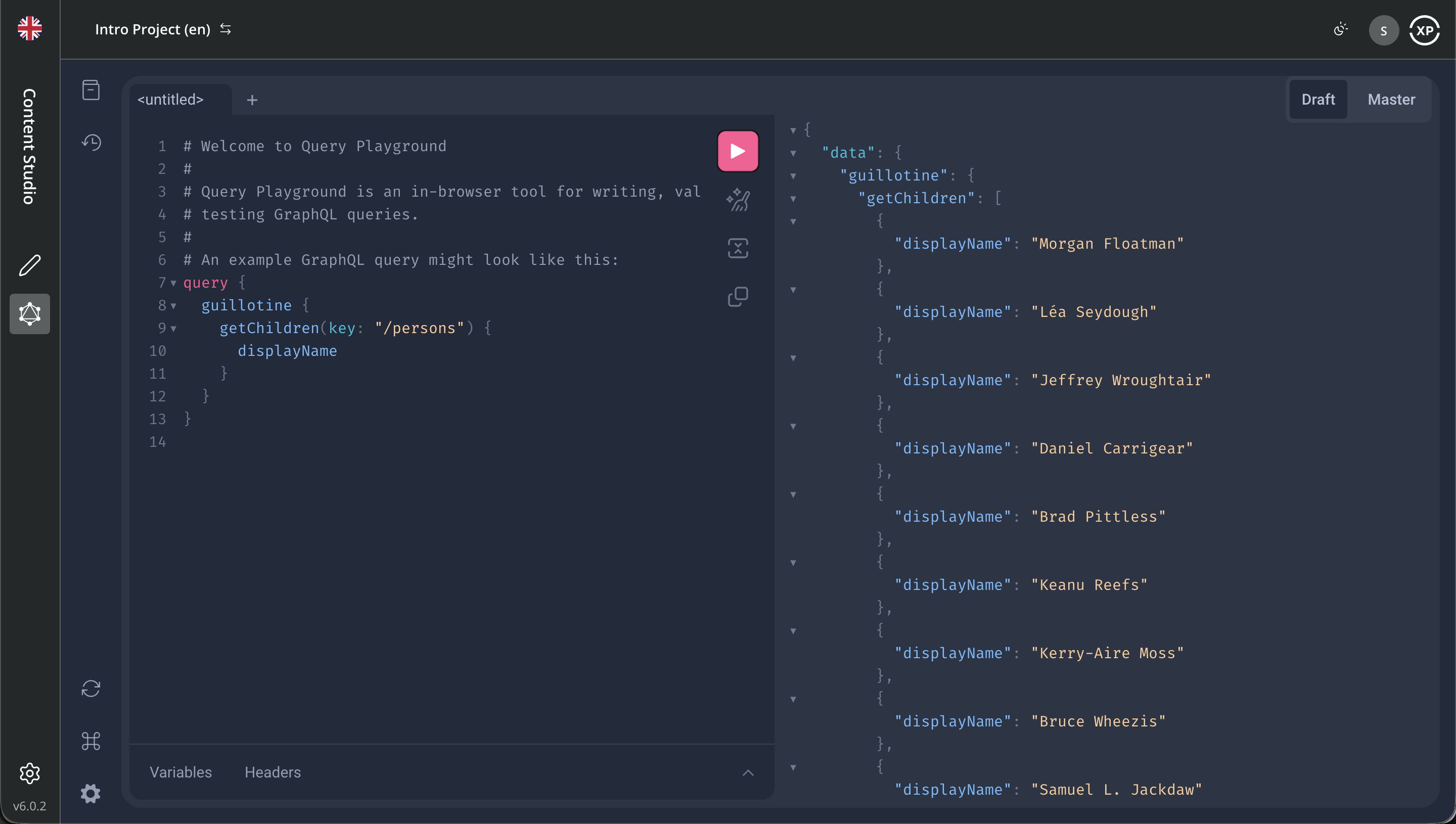
The API documentation is available from the Top left file cabinet icon. Use the tabs on the top right to query against the Draft or Master branch, accessing the draft and published items, respectively.
Want to know more about GraphQL in general? Visit the official GraphQL documentation.
Sample queries
Below are some example queries you can use to fetch the sample content.
Get Persons
/persons folder:
{
 guillotine {
  getChildren(key:"/persons" first:3){
    displayName
    _path
    }
  }
}{
"data": {
"guillotine": {
"getChildren": [
{
"displayName": "Morgan Floatman",
"_path": "/persons/morgan-floatman"
},
{
"displayName": "Léa Seydough",
"_path": "/persons/lea-seydough"
},
{
"displayName": "Jeffrey Wroughtair",
"_path": "/persons/jeffrey-wroughtair"
}
]
}
}
}Query variables
GraphQL also supports the concept of query variables. Similar to parameters in functions, you may pass variables to a query.
Query variables are defined with JSON. You can add them using the Variables button below the query editor.
{
  "path": "/persons"
}
With the variable set, update your query to use the variable. This query should provide the exact same response as before.
query($path:ID!){
 guillotine {
  getChildren(key:$path first:3){
    displayName
    _path
    }
  }
}
Movies and cast
The GraphQL schema is automatically generated based on your installed applications and schemas. If you used a different name than com.example.myapp when the app was created, you would have to replace both com.example.myapp:movie and the GraphQL type com_example_myapp_Movie for the query below to work. |
{
  guillotine {
    queryDsl(query: {
      term: {
        field: "type",
        value: {
          string: "com.example.myapp:movie"
        }
      }
    }, first: 1) {
      displayName
      ... on com_example_myapp_Movie {
        data {
          cast {
            actor {
              displayName
            }
            character
          }
        }
      }
    }
  }
}{
"data": {
"guillotine": {
"queryDsl": [
{
"displayName": "No Time to Deflate",
"data": {
"cast": [
{
"actor": {
"displayName": "Daniel Carrigear"
},
"character": "James Balloon - 00-Latex"
},
{
"actor": {
"displayName": "Léa Seydough"
},
"character": "Madeleine Sweyne"
}
]
}
}
]
}
}
}Image handling
In this case, Guillotine plays tag-team with XP’s image API, which can deliver real-time cropped and optimized versions of images. Here, we are requesting a 400 x 400px version of the image.
The query below shows the names of actors containing the term morgan, and provides a link to a cropped image of the actor.
Again, if your app was called something else than com.example.myapp, replace com.example.myapp:person and com_example_myapp_Person for the query below to work. |
{
  guillotine {
    queryDsl(query: {
      boolean: {
        must: [
          {
            ngram: {
              fields: ["_allText"],
              query: "morgan"
            }
          },
          {
            term: {
              field: "type",
              value: {
                string: "com.example.myapp:person"
              }
            }
          }
        ]
      }
    }, first: 1) {
      ... on com_example_myapp_Person {
    	  displayName
        data {
          photos(first:1){
            ... on media_Image {
              imageUrl(scale:"block(400,400)")
            }
          }
        }
      }
    }
  }
}{
"data": {
"guillotine": {
"queryDsl": [
{
"displayName": "Morgan Floatman",
"data": {
"photos": [
{
"imageUrl": "/admin/com.enonic.app.contentstudio/site/inline/intro/draft/_/media:image/intro:draft/7ab1f76a-69a1-490f-b505-6eb6773c7cec:b6e067d78101d20f297575f7171b4569/block-400-400/morgan-floatman.jpg"
}
]
}
}
]
}
}
}When looking at the result in Query Playground, you can see the actual image by hovering over the link:
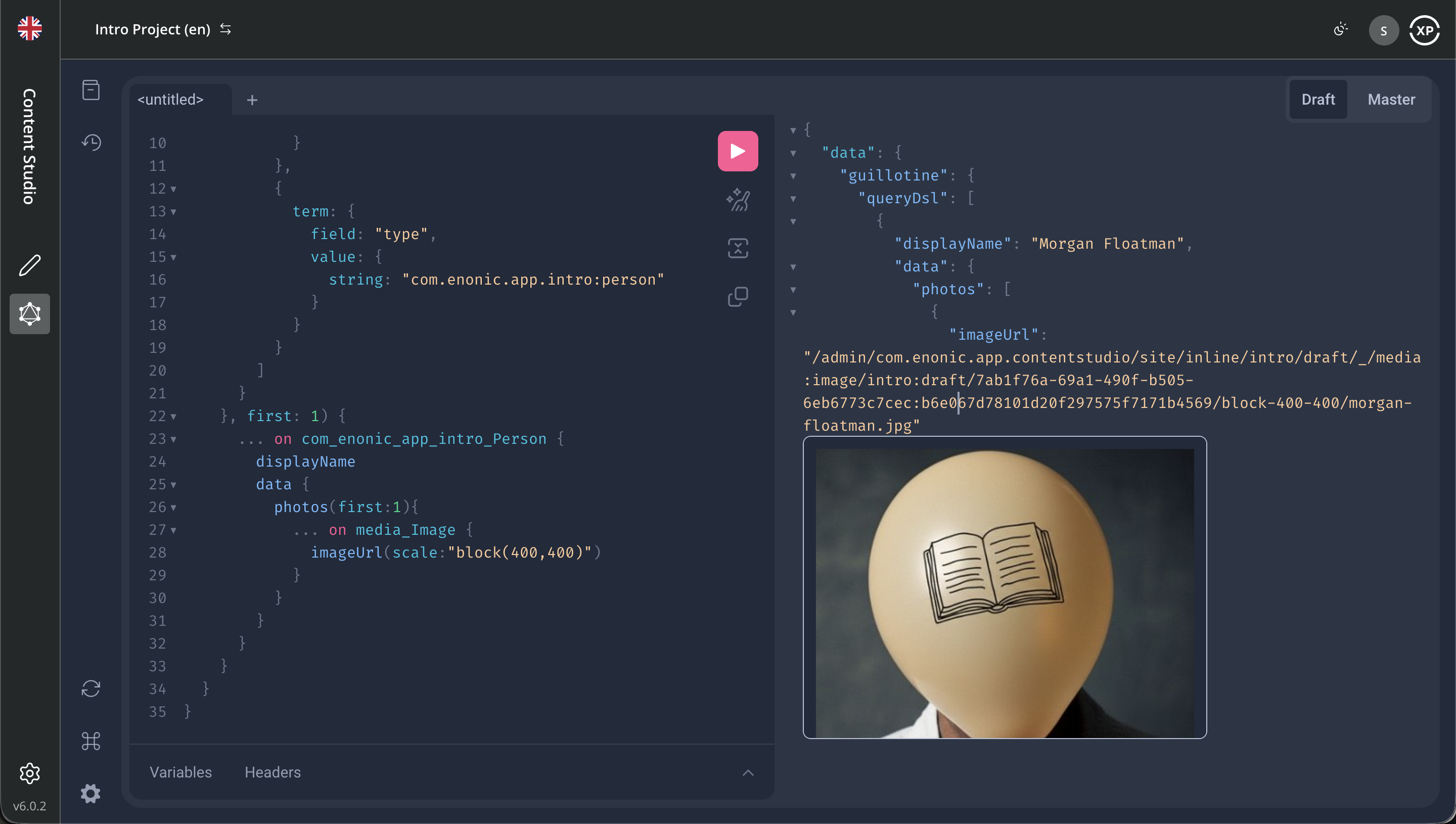
| The actual URL to the image will vary depending on the context of the request, for instance here we are accessing the draft branch from Admin context. |
The original higher-resolution image is stored as a content item, just like persons and reviews. This is what it looks like from Content Studio:
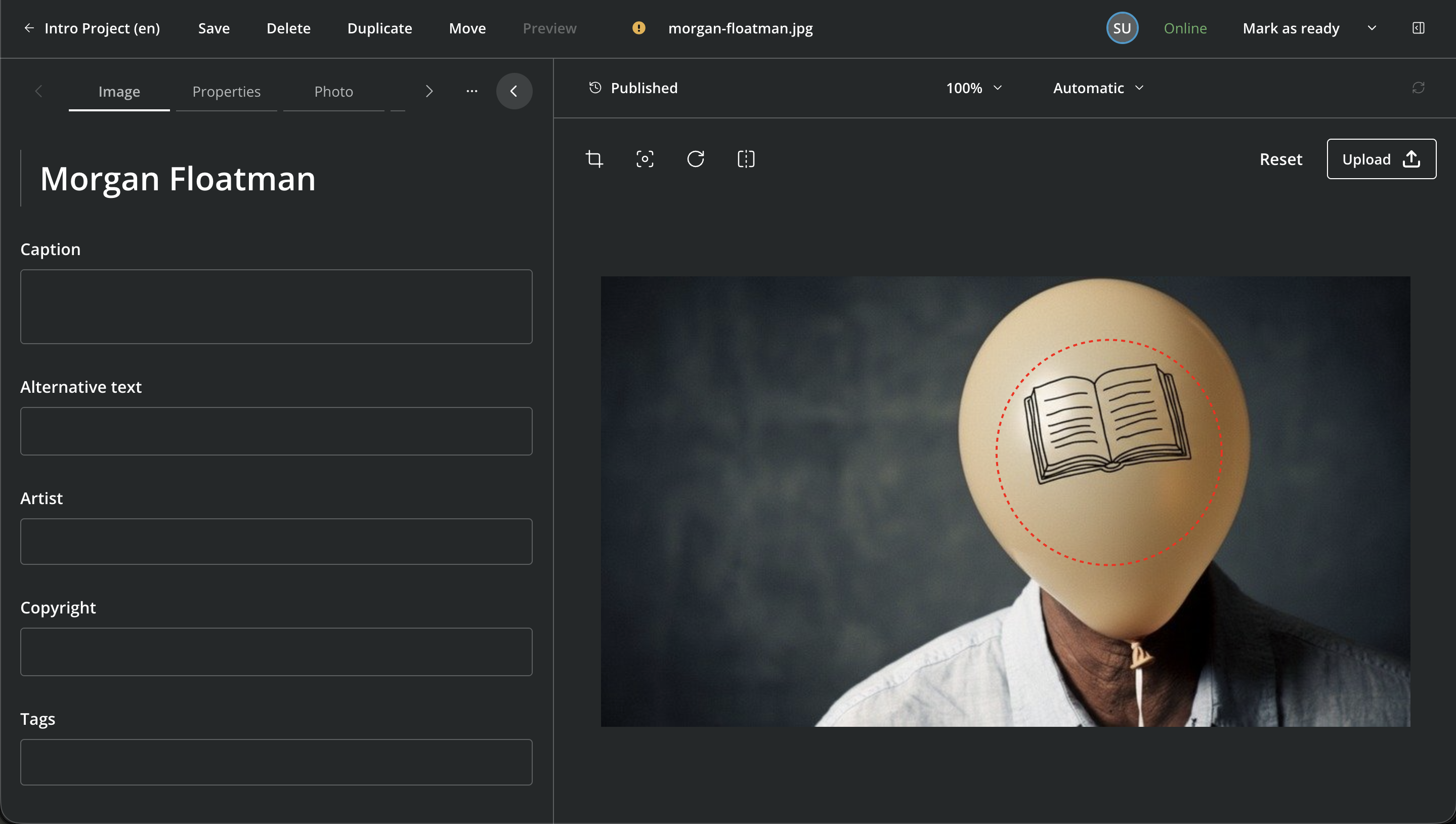
| The red "autofocus" circle, when set, helps the image API to crop the images optimally, as you can see above. |
API augmentation
Now the real magic begins! You may programmatically extend and augment the Guillotine API - for a fully customizable back-end.
The use-cases are limitless, but rather than babbling about it - let’s see it in action!
The age field
We’ll keep it simple. In a few steps, you’ll add an age field to the Person content type and use the dateofbirth to calculate the result.
-
Copy or move the
samples/guillotine/folder tosrc/main/resources/guillotine/. You should then have the following TypeScript file ready:/src/main/resources/guillotine/guillotine.ts// Using the Person data type const personType = "com_example_myapp_Person_Data"; export const extensions = (graphQL) => { return { creationCallbacks: { [personType]: function (params) { // Add a new field: age params.addFields({ age: { type: graphQL.GraphQLInt, }, }); }, }, resolvers: { [personType]: { // Implement the age resolver age: (env) => { if (!env.source.dateofbirth) { return null; } // Calculate age let age = 0; const today = new Date(); const birthDate = new Date(env.source.dateofbirth); age = today.getFullYear() - birthDate.getFullYear(); const m = today.getMonth() - birthDate.getMonth(); // Tune for month and day if (m < 0 || (m === 0 && today.getDate() < birthDate.getDate())) { age--; } return age; }, }, }, }; }; -
Redeploy the application. Guillotine requires the app to be redeployed (or restarted) to pick up changes to schemas and/or controllers. Stop your build (using control-c) and start it again:
^c
enonic dev
-
Back in Query Playground, run the following query:
Query using the new field{ guillotine { getChildren(key: "/persons", first: 2) { displayName ... on com_example_myapp_Person { data { age dateofbirth } } } } }The response should now contain a new age field (pun intended), with a calculated value:
Query response{ "data": { "guillotine": { "getChildren": [ { "displayName": "Morgan Floatman", "data": { "age": 89, "dateofbirth": "1937-06-01" } }, { "displayName": "Léa Seydough", "data": { "age": 41, "dateofbirth": "1985-07-01" } } ] } } }
As you have now seen, XP lets you execute server-side functions, where API augmentation is just the tip of the iceberg. You may also run background jobs, use the XP storage, or even build your own APIs from scratch. The possibilities are endless.
One last thing
With GraphQL queries flowing from your fingertips. It’s time for the big finale where you deploy your app to the Enonic cloud.