Web (Port 8080)
Contents
The Web endpoint is the starting point for 3rd party client interactions with Enonic, including APIs, XP Admin and the Site service.
Introduction
This is where your content and applications get exposed to the world. It serves as the main entry point for all client interactions, including APIs, administrative tools, and content delivery.
The Web endpoint consists of four main services: /api, /admin, /site and /webapp, each serving specific purposes and use cases.
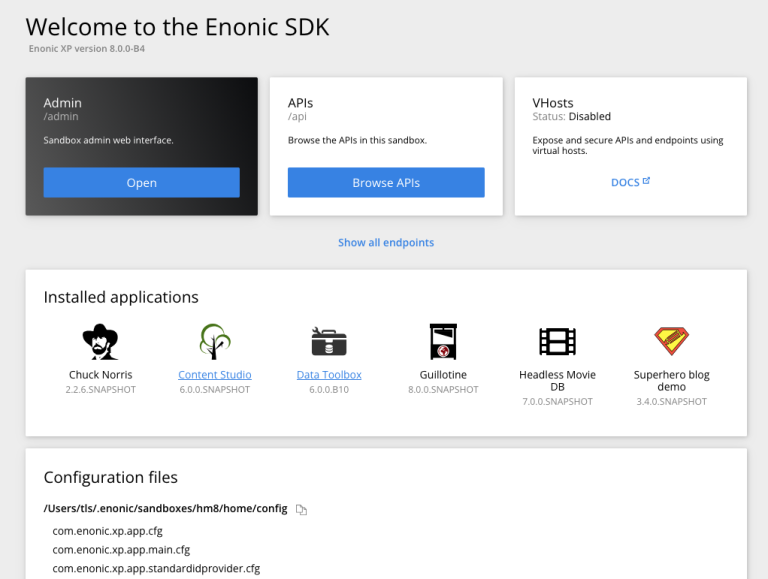
| When running Enonic SDK distribution, localhost:8080 will display an overview of the instance, for developer convenice. Other XP distributions will redirect to /admin. |
/api (:8080/api)
Inspired by the Kubernetes API model, Enonic XP allows applications to contribute their own APIs that are automatically integrated with the platform’s security and IAM. The /api endpoint serves as a unified access point for all these APIs, providing a consistent interface for clients to interact with the platform’s capabilities.
API registry
APIs are mounted on the dedicated /api endpoint with the following URL pattern:
/api/<appname>:<apiname>
For example, the Guillotine GraphQL API would be accessed at:
https://your-xp-instance.com/api/com.enonic.app.guillotine:graphql
API index page
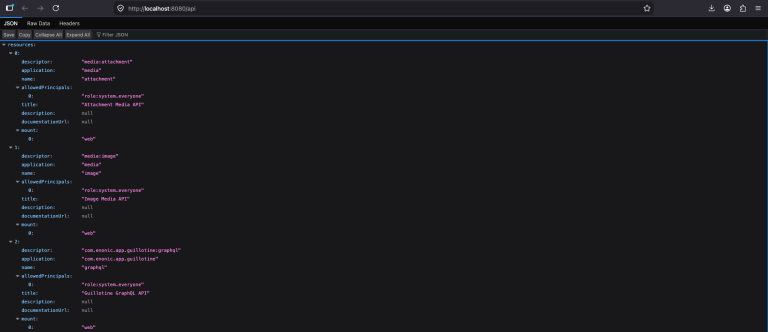
When enabled, the API index page provides a human-friendly overview of the APIs mounted in /api. It lists all registered APIs along with their respective endpoints and descriptions, making it easier for developers to discover and understand the capabilities of the platform.
| The API index page is disabled by default in production environments for security reasons, but can be enabled in development mode or explicitly via configuration. See Universal API for details. |
Contextual mounts
APIs can also be contextually mounted across other Web services via the _ path: |
-
Site service -
/site/<project>/<branch>/_/<appname>:<apiname> -
Webapp service -
/webapp/<appname>/_/<appname>:<apiname> -
Admin service -
/admin/_/<appname>:<apiname>
This allows APIs to be scoped to specific contexts, such as a content site or administrative tool. The mount point of the API is determined by each individual application, allowing for flexible API design and organization. For example, an admin tool may mount an API within the admin service.
/admin (:8080/admin)
XP Admin is the dynamically extensible Administrative User Interface for your XP instance. Applications, Content, Users, and system settings is just the beginning. XP Admin can be extended by applications to provide custom administrative tools and interfaces.
Visiting :8080 will automatically redirect you to the admin console, where you can log in and manage your XP instance. The admin console is built on top of the admin service, allowing it to be easily extended with custom tools and interfaces.
| You may customize the authentication via vhosts as described above. |
The XP admin is described in more detail in the Admin section of the documentation.
/site (:8080/site)
The Site service is a built-in feature to deliver content-driven websites and applications directly from Enonic XP, using the Enonic framework. It provides a powerful and flexible way to build and serve content-rich sites without introducing a 3rd party front-end framework and hosting environment.
Access your content via the site engine using the following URL pattern: /site/<project>/<branch>/<content-path>
| The site service relies on both content, and installed Enonic applications to provide any functionality. The site service is also fully integrated with the Universal API, allowing developers to mount APIs contextually within the sites. |
Use vhosts to mount a site on www.yourdomain.com or blog.yourdomain.com.
/webapp (:8080/webapp)
The Webapp service allows you to serve any kind of web applications built with any traditional front-end framework, such as React, Angular, or Vue. The server-side is powered by an Enonic application. This allows you to leverage the full power of the XP platform, including its APIs, IAM, and content management capabilities, while still using your preferred front-end technology.
Access your web applications using the following URL pattern: /webapp/<appname>/
For a more detailed introduction to building web applications on Enonic, see Enonic Development Kit or check out this tutorial My first web app.
Vhosts
The Web endpoint supports virtual hosts, allowing you to expose APIs and content on custom domains and paths. For example, you can mount the full API on apis.yourdomain.com or a site on www.yourdomain.com - including use of sub-paths like yourdomain.com/content.
For more information on how to configure vhosts, see Virtual Hosts.
Identity and access management
The Web endpoint is fully integrated with XP’s identity and access management (IAM) system, allowing you to control access to your applications and content based on user roles and permissions.
Authentication is configured per vhost by mapping ID providers, so different parts of your platform can use different authentication mechanisms. See Virtual Hosts for the mapping syntax and ID providers for the available providers.
For service-to-service access, the platform supports JWT authentication via the system ID provider — see JWT authentication. Individual endpoints may document additional authentication options; see for example Management API.