MediaSelector input type
Contents
The MediaSelector is a specialized version of the ContentSelector that is limited to selecting media only (content of type "media:*"), including also uploading new media (any kind of file) directly from the MediaSelector interface.
Appearance
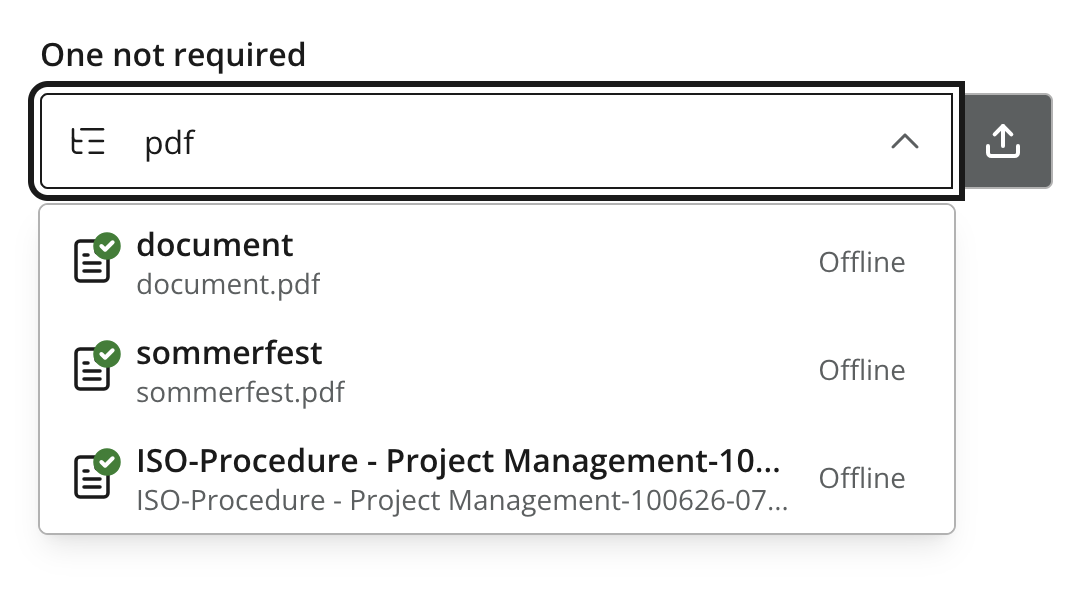
Figure 1. Mediaselector with a search for "pdf"
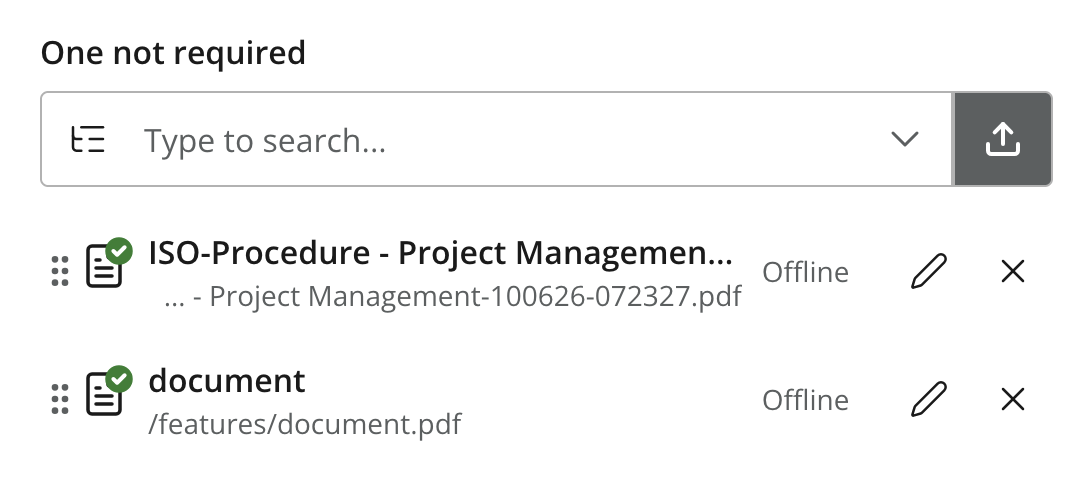
Figure 2. Mediaselector with two selected items
Usage
- type: "MediaSelector"
  name: "my_media"
  label: "My Media"
  occurrences:
    min: 0
    max: 1
  allowContentType:  (1)
    - "media:archive"
  allowPath:  (2)
    - "${site}/*"
  treeMode: true
hideToggleIcon: true| 1 | MediaSelector supports the same configuration options as ContentSelector, but is limited to using media:* content types in the allowContentType configuration. |
| 2 | By default, MediaSelector lists all media items within the project. |
Output
Value type: Reference — not included in _alltext
The stored value is the content ID of the selected media item. Like ContentSelector, the value is a reference to the media content item.
{
  "my_media": "f3076b5c-ea45-4c8b-8c06-1f87b8d8cdd9"
}
Multiple occurrences
{
  "my_media": [
    "f3076b5c-ea45-4c8b-8c06-1f87b8d8cdd9",
    "a1b2c3d4-e5f6-7890-abcd-ef1234567890"
  ]
}
GraphQL
In the GraphQL API the reference is resolved to the referenced media content, so you can query its fields in the same request. See References for query examples.