Image component
Contents
Advanced component for inserting and managing images in rich text.
Introduction
The HtmlArea’s built-in image function embeds a managed image in rich text. Unlike a plain <img>, it references an image content item by ID, may include a caption, and can apply a custom image style — cropping and filters are handled server-side, and the URL is resolved at render time.
Appearance
In Content Studio, the HtmlArea editor provides a standard image dialog that allows editors to insert images and control the basic styling.
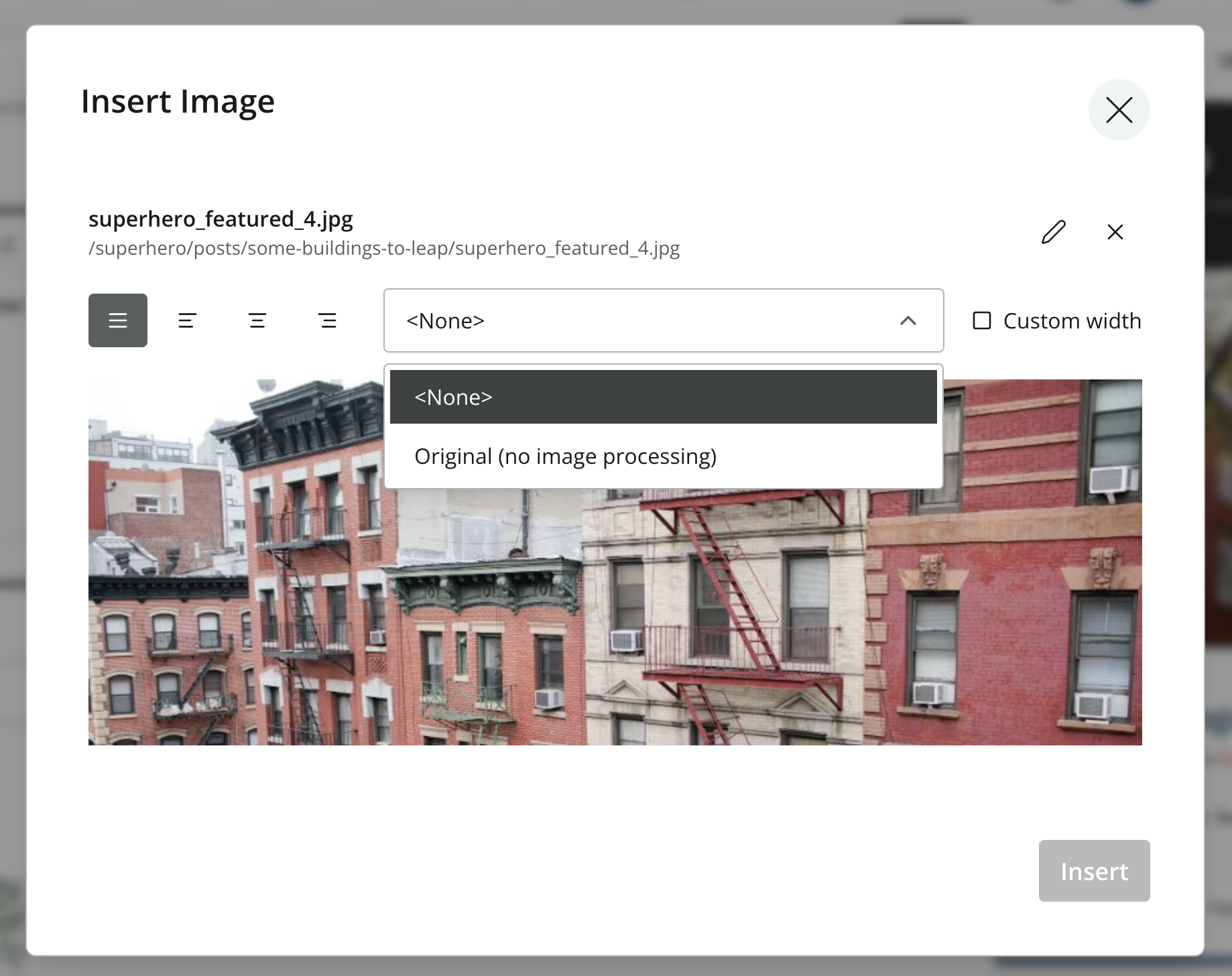
Raw format
The inserted image is stored as a <figure> element wrapping an <img> that references the image by ID, optionally with a <figcaption> caption and a style class:
<figure class="editor-style editor-image-cinema">
  <img alt="Mountain at dawn" src="image://a1b2c3d4-e5f6-7890-abcd-ef1234567890"/>
  <figcaption>Sunrise over the summit</figcaption>
</figure>-
image://<id>references an image content item — not a file URL — and must be resolved before rendering. -
The optional
<figcaption>holds the caption. -
The class (e.g.
editor-image-cinema) identifies a custom image style that controls server-side crop/filters and editor CSS.
Processed Format
By using Guillotine’s processedHtml, image elements will automatically be tagged with reference attributes. Additionally, the HtmlArea type also exposes a typed images field returning detailed data about the referenced image content, so a front-end can build its own markup instead of parsing the processed HTML:
The processHtml argument is applied on the field itself. type controls the URL form (absolute or server-relative), and imageWidths lists the widths used to generate the srcset.
{
  guillotine {
    get(key: "/articles/hello") {
      ... on com_example_myapp_Article {
        data {
          body(processHtml: {type: absolute, imageWidths: [600, 992]}) {
            processedHtml
            images {
              ref  (1)
              image {
                _id
                displayName
              }
              style {
                name
                aspectRatio
                filter
              }
            }
          }
        }
      }
    }
  }
}| 1 | Matches the data-image-ref attribute in processedHtml, so a front-end can map each image tag to its data. |
{
  "data": {
    "guillotine": {
      "get": {
        "data": {
          "body": {
            "processedHtml": "<figure class=\"editor-style editor-image-cinema\"><img src=\"https://example.com/api/media:image/my-project/a1b2c3d4-...:<fingerprint>/width-768/photo.jpg\" data-image-ref=\"a1b2c3d4-e5f6-7890-abcd-ef1234567890\" srcset=\"https://example.com/api/media:image/my-project/a1b2c3d4-...:<fingerprint>/width-600/photo.jpg 600w, https://example.com/api/media:image/my-project/a1b2c3d4-...:<fingerprint>/width-992/photo.jpg 992w\"/><figcaption>Sunrise over the summit</figcaption></figure>",
            "images": [
              {
                "ref": "a1b2c3d4-e5f6-7890-abcd-ef1234567890",
                "image": {
                  "_id": "a1b2c3d4-e5f6-7890-abcd-ef1234567890",
                  "displayName": "Mountain at dawn"
                },
                "style": {
                  "name": "editor-image-cinema",
                  "aspectRatio": "21:9",
                  "filter": null
                }
              }
            ]
          }
        }
      }
    }
  }
}
In the processed HTML the image:// reference is rewritten to an Image API <img> tagged with a data-image-ref attribute and a srcset generated from imageWidths; the <figure>, <figcaption> and style class are preserved. The typed images array carries the same ref (so a front-end can correlate each tag with its data), plus the resolved image content and the applied style.
Rendering
A front-end consumes processedHtml together with the typed images data, correlating each data-image-ref tag with its ref to render images its own way (for example a responsive <picture> or a design-system component). Enonic’s front-end toolkits handle this mapping for you — see Front-end integration and the React SPA tutorial for worked examples.