ContentSelector - form item
Contents
Creates references to other content. Enables filtering on what content types and paths can be selected.
Appearance
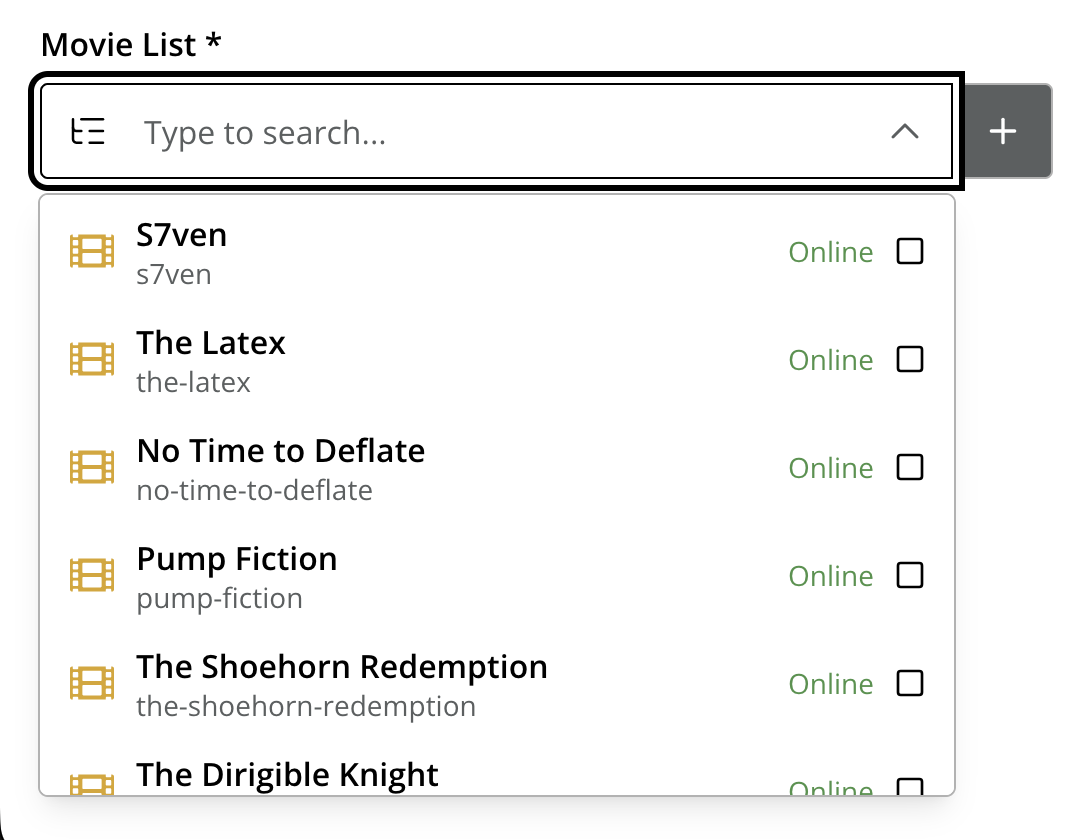
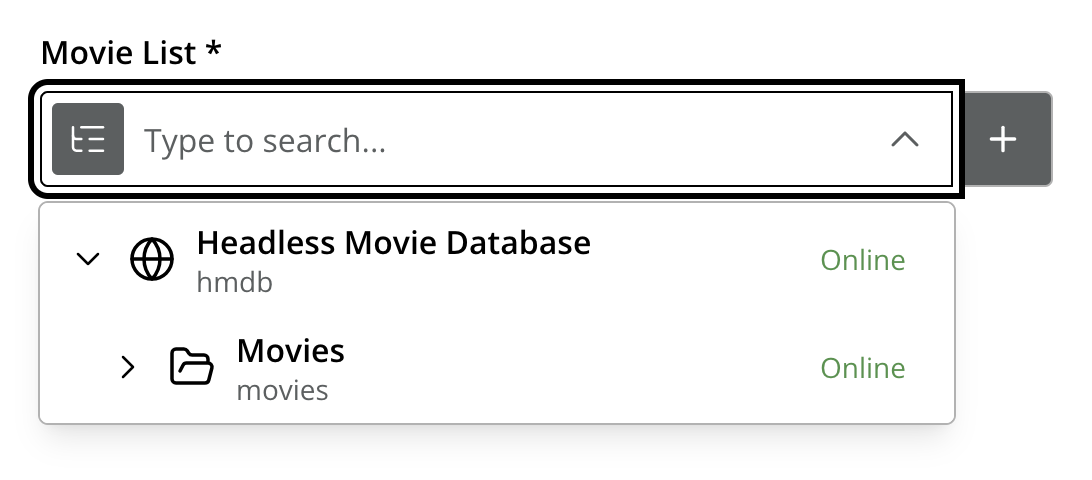
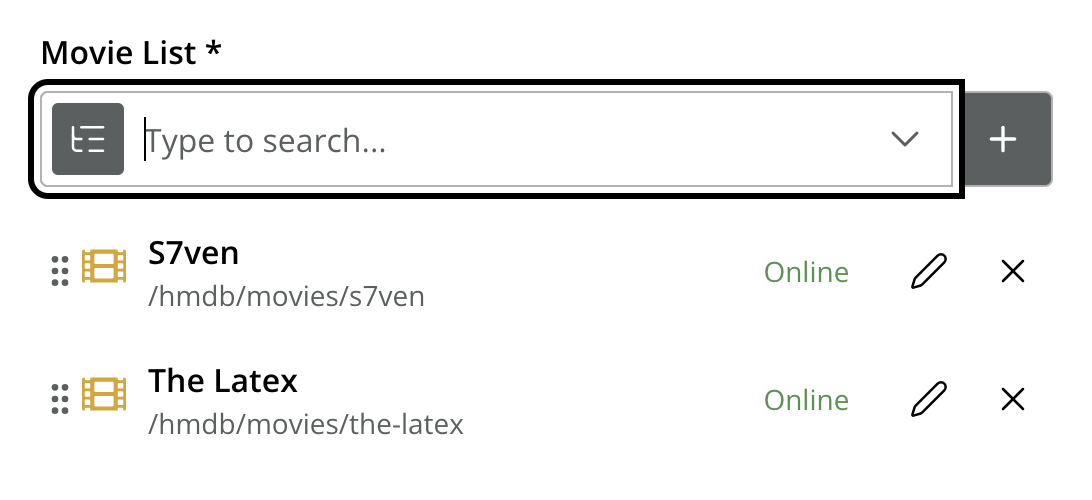
ContentSelector is a specialized version of the combobx, but the dropdown list is populated with content items instead of static options. Here are some examples of what it looks like in Content Studio:
Usage
- type: "ContentSelector"
  name: "my_content_selector"
  label: "My ContentSelector"
  occurrences:
    min: 0
    max: 0
  allowContentType:  (1)
    - "citation"
    - "my.other.app:quote"
  allowPath:  (2)
    - "${site}/people/"
    - "./*"
    - "/quotes*"
  treeMode: true  (3)
hideToggleIcon: true (4)| 1 | allowContentType is used to limit the content types that may be selected using the Allow content type pattern |
| 2 | allowPath is used to limit the path of the content that may be selected using the allowPath patterns. By default, Content Selector only displays content from the same site. |
| 3 | treeMode toggles between tree and flat modes. Default value is false (flat mode).
|
| 4 | hideToggleIcon hides the toggle icon when set to false.
 |
Allow content type pattern
XP uses one of two modes when matching content type patterns:
-
LEGACY -
simulates the pattern-matching behaviour that was the default before XP 7.7.0.
-
MATCH -
the current default mode, with notable changes from
LEGACY.
The mode is configured on the XP server — see the Enonic XP docs for details. Both modes are explained below.
Legacy
If the pattern value can be found in any part of the content type name, then it is considered a match. The pattern will be prefixed by the current application name unless:
-
the pattern uses the <application-name:content-name> format
-
the pattern includes one of
:or* -
the pattern starts with
${app}.
Match
The pattern will be treated as a Regular Expression (with a few notable exceptions) and the whole content type name must match it to be accepted. The pattern will be prefixed by the current application name if it does not contain any of the following characters: \^$.|?*+()[{:.
XP patterns: special cases
XP’s patterns have a few cases where they differ from normal Regular Expression syntax:
${app} template expression
Most content type names start with the name of the application where they are stored. It may be quite messy and hard to maintain the whole application name in every pattern, so the ${app} template expression can be used to replace it.
In most regex engines, the * character means "0 or more of the preceding token". However, XP treats it differently and interprets it as "0 or more of any character(s) except for line breaks". In that way, it’s similar to glob patterns.
To further clarify, in XP:
-
*daywould match "monday", "day", and "mayday". This pattern would be invalid in most regex engines. -
p*agewould match "page" and "package", but not "age". -
monk*would match "monkey" and "monk", but not "mon".
Content type "citation" within your current application
allowContentType:
  - "citation"
Content type "quote" from the application "my.other.app"
allowContentType:
  - "my.other.app:quote"
Content types "quote" from any application
allowContentType:
  - "*:quote"
Any content types from current application
allowContentType:
  - "${app}:*"
All content types starting with banana (using regular expressions)
allowContentType:
  - "*:banana*"
All content types except 'base:folder'
allowContentType:
  - "^(?!base:folder$)*"
allowPath Samples
Allow all content starting from the root
allowPath:
  - "*"
Only content from the current site (but from any location), e.g
* /mySite/fish.jpg
* /mySite/articles/new-blog-post
* /mySite/someFolder/anotherFolder/rubarb/lettuce
allowPath:
  - "${site}/*"
All children of <site>/people, e.g
* /mySite/people/myContent
* /mySite/people/myGroup/anotherContent
allowPath:
  - "${site}/people/*"
All content in mySite starting with people, including children, e.g
* /mySite/peoples
* /mySite/people/myContent
* /mySite/peoples/myContent
* /mySite/people/myGroup/anotherContent
allowPath:
  - "/mySite/people*"
All children of the current content
allowPath:
  - "./*"
All children of the current content’s parent
allowPath:
  - "../*"
Output
Value type: Reference — not included in _alltext
The stored value is the content ID of the referenced item. When multiple selections are allowed, the value is an array.
{
  "my_content_selector": "f3076b5c-ea45-4c8b-8c06-1f87b8d8cdd9"
}{
"my_content_selector": [
"f3076b5c-ea45-4c8b-8c06-1f87b8d8cdd9",
"a1b2c3d4-e5f6-7890-abcd-ef1234567890"
]
}GraphQL
In the GraphQL API the reference is resolved to the referenced content, so you can query its fields in the same request rather than following the ID yourself. See References for query examples.