HtmlArea - form item
Contents
A field for entering multi-line text with rich-formatting options.
Appearance
Html-based Rich text editor using default configuration.
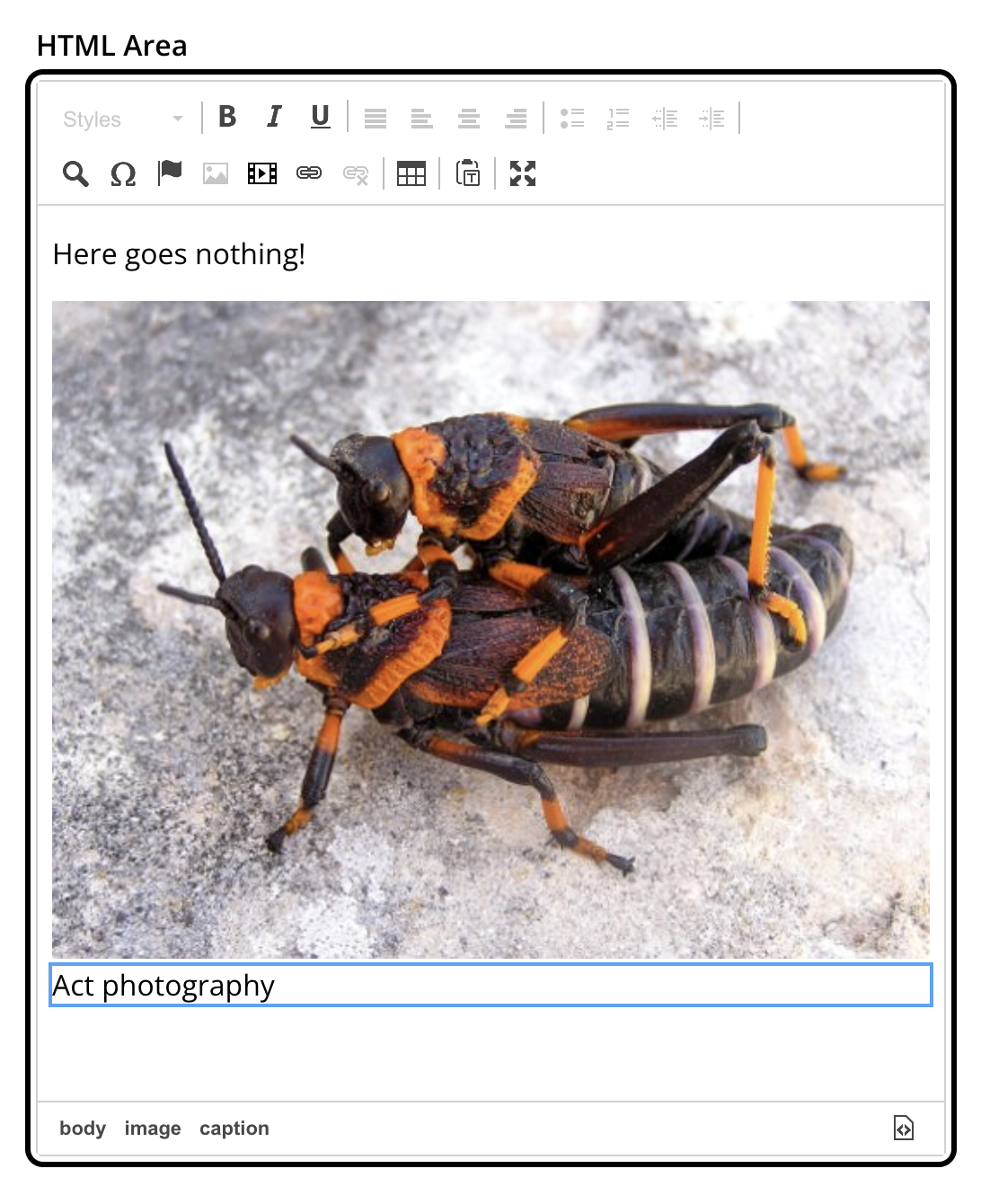
Usage
- type: "HtmlArea"
  name: "my_htmlarea"
  label: "My HtmlArea"
  default: "<h3>Enter description here</h3>"  (1)
  exclude: "*"  (2)
  include: "JustifyLeft JustifyRight | Bold Italic"  (3)
allowHeadings: "h2 h4 h6" (4)| 1 | default can contain any valid HTML elements. |
| 2 | exclude optionally removes tools from the default configuration. Use "*" to exclude all tools at once. |
| 3 | include optionally adds tools to the editor toolbar. |
| 4 | allowHeadings space-separated list of allowed heading tags (from <h1> to <h6>); by default all are allowed |
| Separate tools in the toolbar using the "|" character to group tool buttons together. |
Below is the default editor tools configuration:
Format | JustifyBlock JustifyLeft JustifyCenter JustifyRight | BulletedList NumberedList Outdent Indent | FindAndReplace SpecialChar Anchor Image Macro Link Unlink | Table | PasteModeSwitcher
Below is the complete list of available editor tools:
| Name | Description |
|---|---|
|
Format |
Text format menu |
|
Bold |
Bold text |
|
Italic |
Italic text |
|
Underline |
Underline text |
|
JustifyBlock |
Justify content |
|
JustifyLeft |
Left align content |
|
JustifyCenter |
Center content |
|
JustifyRight |
Right align content |
|
BulletedList |
Insert a bullet list |
|
NumberedList |
Insert a numbered list |
|
Outdent |
Decrease indent |
|
Indent |
Increase indent |
|
FindAndReplace |
Find and Replace dialog |
|
SpecialChar |
Insert a special character |
|
Anchor |
Insert an anchor |
|
Image |
Insert/Edit an image |
|
Macro |
Insert a macro |
|
Link |
Insert/Edit a link |
|
Unlink |
Remove link |
|
Table |
Table format menu |
|
PasteModeSwitcher |
Paste mode (formatted/plain text) |
|
BGColor |
Background color |
|
Blockquote |
Quotation |
|
Copy |
Copy selected text into buffer |
|
CopyFormatting |
Copy formatting |
|
CreateDiv |
Wrap with div |
|
Cut |
Cut selected text into buffer |
|
Font |
Font menu |
|
FontSize |
Font size menu |
|
HorizontalRule |
Insert a horizontal line |
|
Language |
Set language for parts of the text |
|
ListStyle |
Change style of BulletedList |
|
NewPage |
Clean editor’s content |
|
Preview |
Preview HTML Area contents |
|
Redo |
Repeat the last action |
|
RemoveFormat |
Remove formatting |
|
SelectAll |
Select editor’s content |
|
Strike |
Strikethrough over text |
|
Styles |
Text styles menu |
|
Subscript |
Subscript text |
|
Superscript |
Superscript text |
|
TextColor |
Text color |
|
Undo |
Undo the last action |
Output
Value type: String — included in _alltext
| Before indexing, the HTML content is stripped of all tags, leavning only the text content. |
The value is stored in a raw markup format
{
  "my_htmlarea": "<h3>Hello world</h3><p>This is <strong>rich text</strong> with an <a href=\"content://f3076b5c-ea45-4c8b-8c06-1f87b8d8cdd9\">internal link</a>.</p>"
}{
"my_htmlarea": [
"<h3>First block</h3>",
"<p>Second block with a <strong>bold</strong> word.</p>"
]
}Raw format
HtmlArea persists raw markup that is strictly validated against the editor instance’s allowed options (include, exclude and allowHeadings). The markup uses Enonic-specific conventions for internal links, images and macros — see Rich text for the format details and processing for how they are resolved.
GraphQL
The GraphQL API exposes both the raw markup and a processedHtml field, where internal links, images and macros are resolved into a format suitable for rendering. The same processing is also available through the Enonic APIs.
For the GraphQL example and full field details, see Rich text and the HTML processing documentation.