CustomSelector - form item
Contents
Combobox with customizable data source. Useful for integrations with external data sources or dynamic options.
| Tutorial: Check out Building a custom selector for hands on learning. |
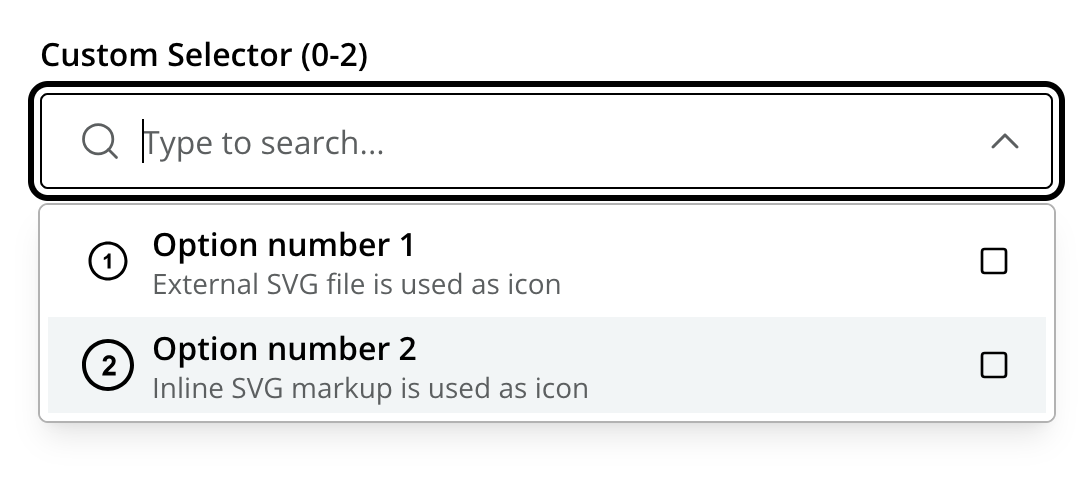
Usage
Below are several sample usages of CustomSelector:
# Basic Sample
- type: "CustomSelector"
  name: "my_custom_selector"
  label: "My Custom Selector"
  occurrences:
    min: 0
    max: 0
  extension: "my-extension" (1)

# Referencing other application and adding parameters
- type: "CustomSelector"
  name: "music_track"
  label: "Intro song"
  extension: "com.enonic.app.extapp:my-extension"
  params:  (2)
    genre: "classic"
    sortBy: "length"

# Gallery mode
- type: "CustomSelector"
  name: "album_cover"
  label: "Album cover"
  extension: "album-cover-selector"
  galleryMode: true  (3)


# Legacy service mode
- type: "CustomSelector"
  name: "my_custom_selector"
  label: "My Custom Selector"
  occurrences:
    min: 0
    max: 0
service: "my-custom-selector" (4)| 1 | extension — references an extension that is responsible for providing the options. Can reference extension in other applications by including the application prefix e.g. com.myapplication.app:my-extension. |
| 2 | params lets you pass parameters to the service so the same function can be reused across fields. Parameters are sent as query-string name/value pairs. |
| 3 | galleryMode set to true renders options in a gallery style (three big images in a row), similar to ImageSelector. Useful when images should be emphasized. |
| 4 | service — Deprecated! Refer to the service service that provides the options (relative or with application prefix). |
Extension
For the custom selector to work, the referenced extension must be installed and running on the XP instance.
This is essentially a function that takes a set of parameters and returns a defined JSON object according to the contentstudio.customselector contract.
| Visit the Enonic Development Kit docs for implementation details. |
Output
Value type: String — not included in _alltext
The stored value is the id of the selected item. When multiple selections are allowed, the value is an array.
{
  "music_track": "0VjIjW4GlUZAMYd2vXMi3b"
}
Multiple selections
{
  "music_track": [
    "0VjIjW4GlUZAMYd2vXMi3b",
    "7qiZfU4dY1lWl0X7mMnVN7"
  ]
}