Links
Contents
Rich text can link to other content in the repository, to media files, and to external URLs.
Internal links
Internal links are stored as references rather than fixed URLs, so they keep working when the target is moved or renamed — the actual URL is resolved when the content is rendered.
Appearance
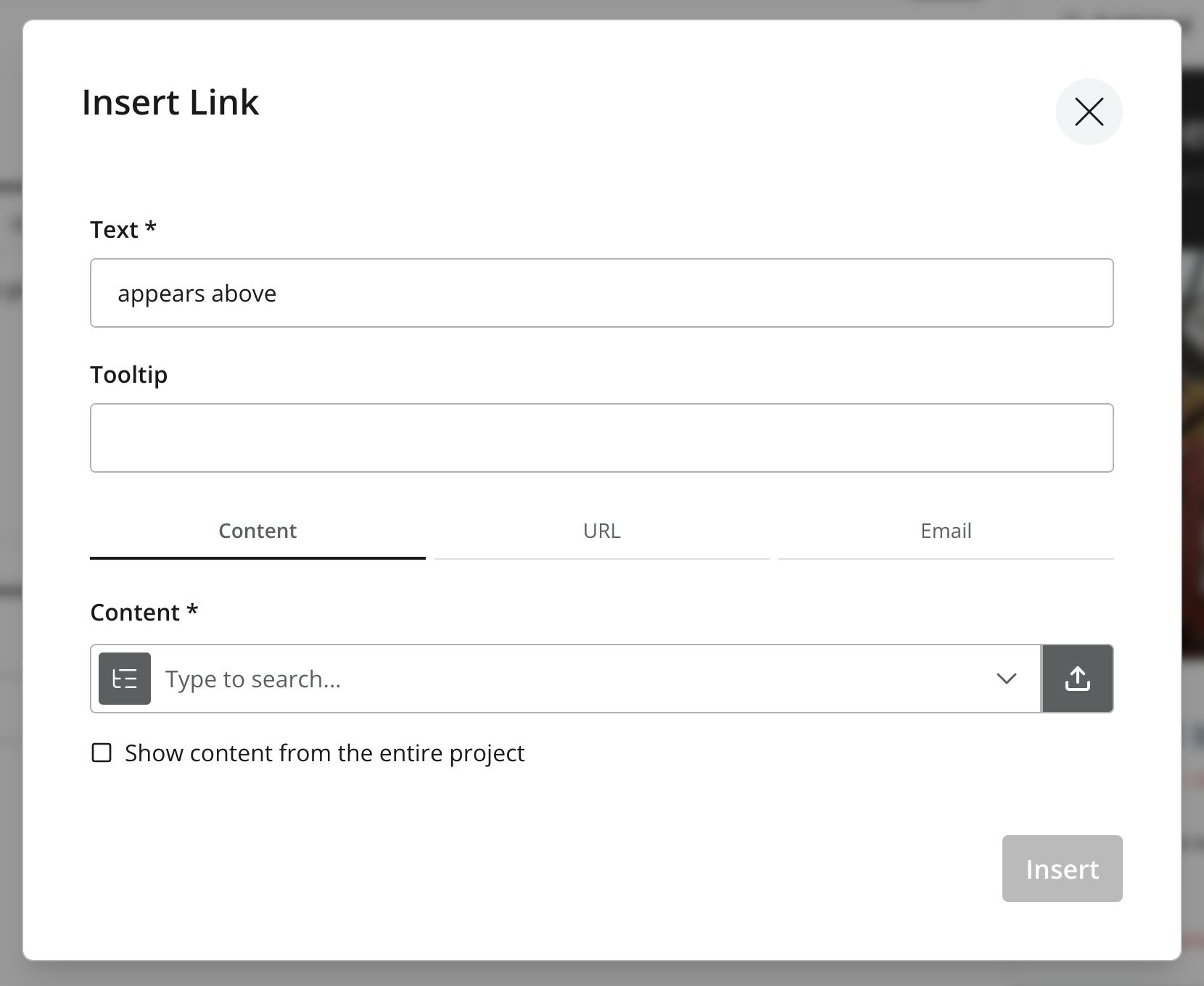
In Content Studio, the HtmlArea editor provides a link dialog that allows editors to insert links to content, media and external URLs. The editor also supports editing existing links, including changing the link type and target.
Raw format
Links are stored as standard <a> elements. Internal links reference their target by ID using an Enonic-specific scheme, while external links are stored verbatim:
<!-- Internal content link -->
<a href="content://f3076b5c-ea45-4c8b-8c06-1f87b8d8cdd9">latest post</a>

<!-- Media / attachment link -->
<a href="media://download/2b6e1f0c-5a3d-4f9e-9c1a-7d8e2b4a6f10">download the PDF</a>

<!-- External link -->
<a href="https://enonic.com" target="_blank">Enonic</a>-
content://<id>— a link to another content item. -
media://download/<id>— a link to a media file, served by the Image API / attachment service. -
Absolute
http(s)://URLs are stored unchanged.
These references must be resolved to real URLs before rendering — see Processed output.
Processed output
In the processed HTML, links to content (page) keep their content:// reference — the front-end resolves these to its own routes — while links to media resolve to an /api URL. Either way the <a> is tagged with a data-link-ref attribute. The HtmlArea type also exposes a typed links field whose ref matches that attribute, so a front-end can correlate each link with its resolved target. The processHtml argument is applied on the field, where type selects an absolute or server-relative URL for media links.
{
  guillotine {
    get(key: "/articles/hello") {
      ... on com_example_myapp_Article {
        data {
          body(processHtml: {type: absolute}) {
            processedHtml
            links {
              ref  (1)
              uri  (2)
              content {  (3)
                _path
                displayName
              }
              media {  (4)
                content { _id }
                intent  (5)
              }
            }
          }
        }
      }
    }
  }
}| 1 | Matches the data-link-ref attribute in processedHtml, so a front-end can map each link to its target. |
| 2 | The original content:// or media:// reference. |
| 3 | Populated for links to content; null for media links. |
| 4 | Populated for links to media; null for content links. |
| 5 | Either download or inline. |
{
  "data": {
    "guillotine": {
      "get": {
        "data": {
          "body": {
            "processedHtml": "<p>Read our <a href=\"content://f3076b5c-ea45-4c8b-8c06-1f87b8d8cdd9\" data-link-ref=\"e72f48b6-a972-4133-a300-a3ab5d132800\">latest post</a>.</p>",
            "links": [
              {
                "ref": "e72f48b6-a972-4133-a300-a3ab5d132800",
                "uri": "content://f3076b5c-ea45-4c8b-8c06-1f87b8d8cdd9",
                "content": {
                  "_path": "/articles/latest-post",
                  "displayName": "Latest post"
                },
                "media": null
              }
            ]
          }
        }
      }
    }
  }
}
Content (page) links keep their content://<id> reference and are only tagged with data-link-ref, leaving the front-end to map them to its own routes; media links resolve to an /api URL. The typed links array carries the same ref, the original uri, and the resolved content (or media) object — so a front-end can route links instead of parsing the HTML.
Rendering
A front-end consumes processedHtml together with the typed links data, correlating each data-link-ref tag with its ref to route links its own way (for example mapping a referenced content item to an application route). Enonic’s front-end toolkits handle this mapping for you — see Front-end integration and the React SPA tutorial for worked examples.