Getting to know the GraphQL API
Contents
In this chapter you will get a quick introduction to Enonic’s GraphQL API - aka Guillotine. It is the point of integration between Next.js and Enonic.
Intro
Enonic provides a ridiculously flexible GraphQL API that dynamically reflects changes in your applications and content. Like Content Studio, the Guillotine app (and its API) was automatically downloaded and installed when you created your sandbox.
| New to GraphQL as well? Check out the GraphQL documentation. |
Task: Open Query Playground
For every content project in your sandbox, you automatically get an API. Query Playground is a tool for browsing and testing it.
-
Open Query Playground - Click
Query Playgroundin the Content Studio menu. -
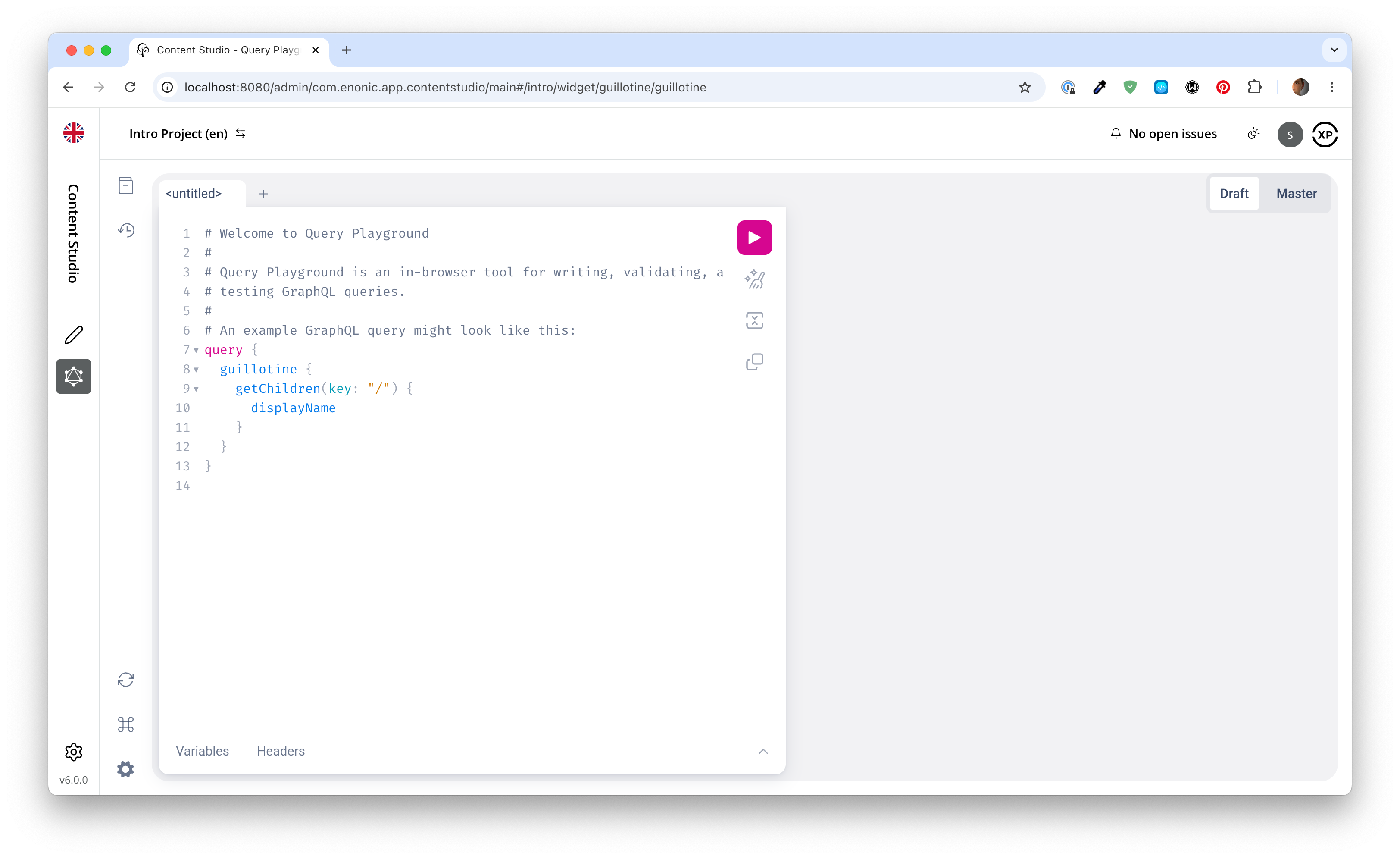
Verify that the API is available - You should see the following:
|
The API can also be called directly at http://localhost:8080/api/com.enonic.app.guillotine:graphql. Direct calls must pass the |
Task: Run a query
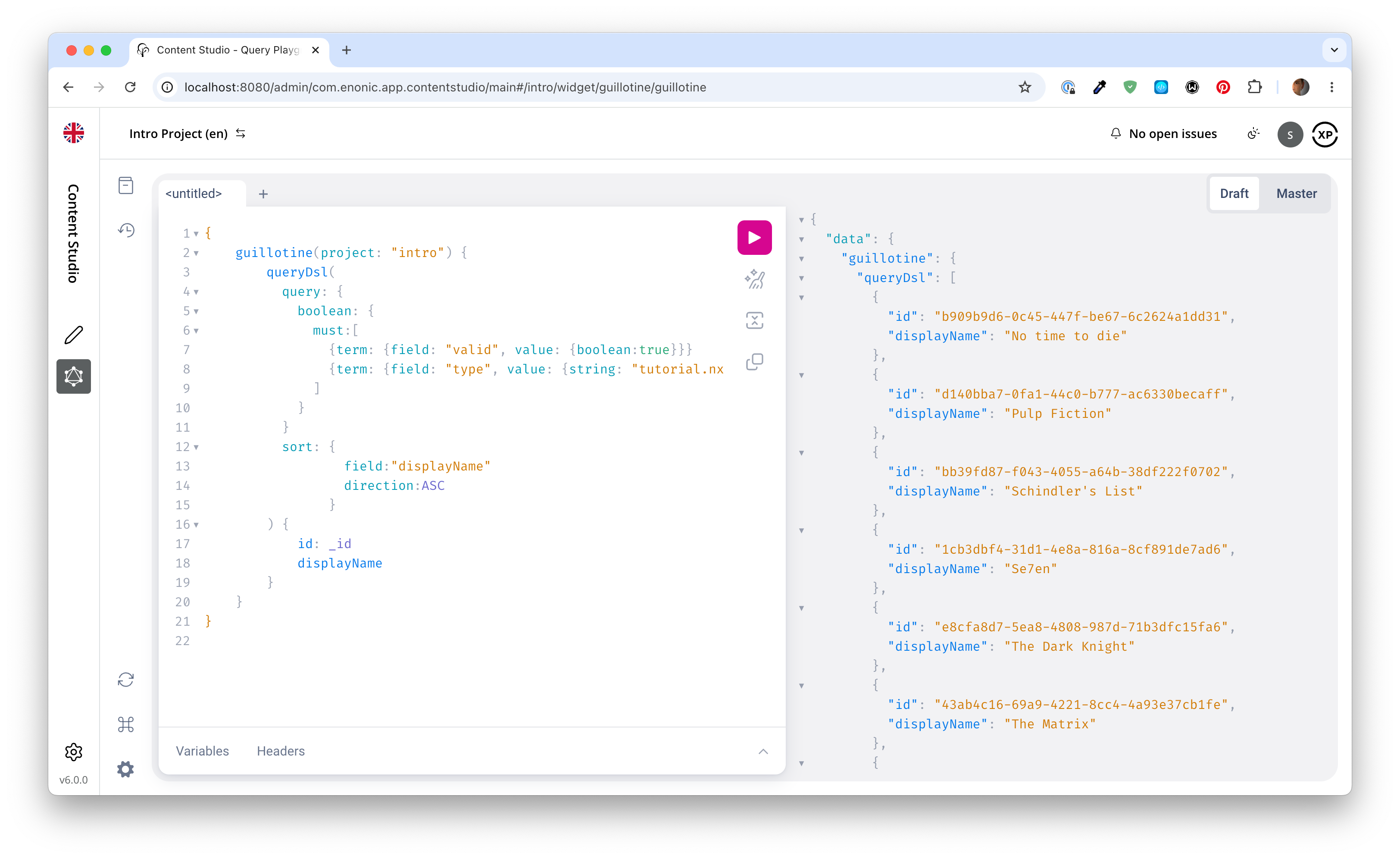
Query Playground lets you browse and use the API directly. Type or paste queries into the left-hand field, press the "play" button to run the query, and the result appears in the right-hand field.
-
Query movies - One of the objectives in this tutorial is listing and presenting movie details. Run this query, which retrieves the ID and display name of some movies:
Query to fetch movies from the Headless API:{ guillotine(project: "intro") { queryDsl( query: { boolean: { must:[ {term: {field: "valid", value: {boolean:true}}} {term: {field: "type", value: {string: "com.example.tutorial.nextjs:movie"}}} ] } } sort: { field:"displayName" direction:ASC } ) { id: _id displayName } } }introis the name of the Content Studio project.com.example.tutorial.nextjsrefers to the name of the application you created in the previous chapter.movieis a specific content type within the app. -
Verify the result - After executing the query, the response panel on the right shows the result:
Task: Use query variables
In addition to the query itself, GraphQL also supports optional query variables. Query variables enable you to reuse the same query, but for instance fetch different content each time.
-
Add the query to Query Playground:
query($path:ID!){               (1)
  guillotine(project: "intro") {
    get(key:$path) {            (2)
      type
      _id
      displayName
    }
  }
}
1 pathis declared (with a$marking it as a variable in the query). The declaration includes its type (ID), and a!marking it as a required parameter.2 The pathvariable is used here as the value of thekeyparameter, passed to thegetfield. -
Add query variables - In the bottom left of Query Playground, you will find the
Query variablestab. Add the following JSON to the field:The pathfield in the JSON corresponds to the$pathin the query string above:{ "path": "/movies/s7ven" } -
Run the query - The response contains the type, ID and display name of the movie at the given path, which shows that the variable works as expected.
Task: Use type introspection
The queries above only specify fields like _id and displayName for each content found. These are general fields in the CMS, available across all content types.
Content types may also define their own custom fields. These are stored under the data field. In the headless API, deeper data and functionality belonging to a content type is accessed through introspection.
For example, you may introspect the fields that are exclusive to the com.example.tutorial.nextjs:movie content type like this:
... on com_example_tutorial_nextjs_MovieThe fully-qualified content type name is used, dots are replaced with underscores, and the name is capitalized Movie. |
-
Fetch a complex data set - Get the content for a movie, the referenced image items
media:imageand person itemscom.example.tutorial.nextjs:personin a single query.Paste this query into Query Playground:
A query with nested introspectionsquery($path:ID!){ guillotine(project: "intro") { get(key:$path) { type displayName ... on com_example_tutorial_nextjs_Movie { data { subtitle abstract trailer release photos { ... on media_Image { imageUrl(scale: "width(500)") { path queryString } } } cast { character actor { displayName ... on com_example_tutorial_nextjs_Person { _path data { photos { ... on media_Image { imageUrl(scale: "block(100,100)") { path queryString } } } } } } } } } } } }Notice how
imageUrlis requested with parameters of its own? Type introspections can expose certain functions for processing data before returning it. Such URL functions return objects: combinepathandqueryStringwith your public media API base URL. They do not return a ready-madeurlfield. In the Next.js app you will not write this selection by hand: theimageUrlQuery()helper from the adapter generates it with every field, andimageUrl()turns the result into an absolute URL to the media API. -
Keep the query variables from the previous task:
{ "path": "/movies/s7ven" } -
Run the query - It should produce a complete set of data, which will come in handy later in this tutorial.
All in all, this allows for fetching deep and rich content data in a single API request.
Summary
You’ve browsed the Guillotine API in Query Playground, run queries with variables, and used type introspection to fetch a movie with its images and cast in a single request.
Next, you’ll create a site and organize the content within it.