Unpublish
Contents
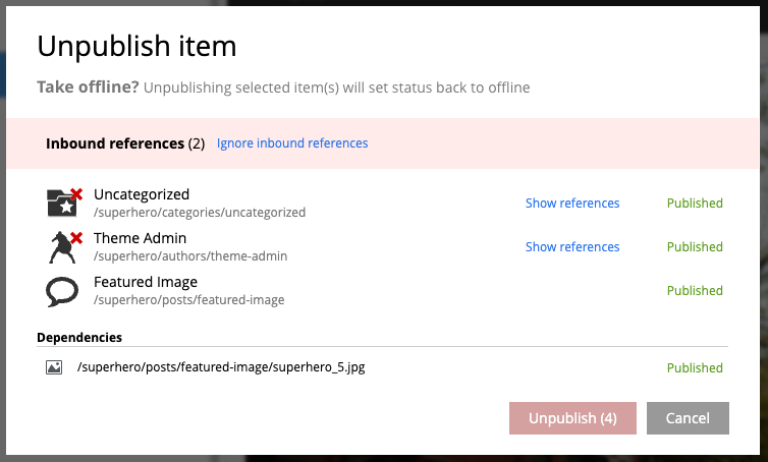
The Unpublish action takes currently published content offline by removing it from the master branch. All of the content’s descendants are listed and unpublished along with the selected content; the total count appears on the red Unpublish button at the bottom of the dialog.
There are two ways to invoke Unpublish:
-
The Unpublish button in the toolbar — it replaces the Publish button when the selection is currently published, or is available from the Publish button’s dropdown otherwise.
-
The Unpublish entry in the context menu (right-click a published item).
Unpublishing a published item that is also marked for deletion first takes it offline and then deletes it.
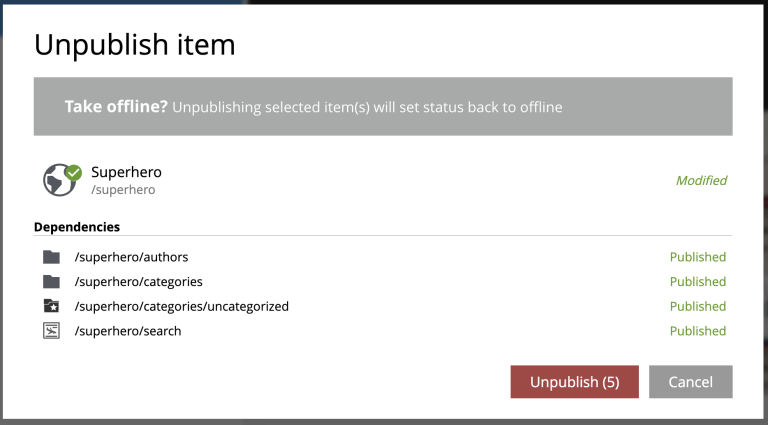
| As with deletion, the dialog asks you to confirm by entering the total number of items to unpublish. |
Reference checks
If any item in the dialog has a published inbound dependency (a published content that references it), a warning appears at the top of the dialog and the button is disabled. Two links are available:
-
Ignore inbound references — proceed with unpublishing anyway.
-
Show references — for each referenced item, open its reference list so it can be edited to remove the dependency. Publishing those changes makes the original unpublish safe to proceed.