Duplicate
Contents
The Duplicate action launches the Duplicate content dialog for the selected item.
There are two ways to invoke it:
-
The Duplicate button in the toolbar.
-
The Duplicate entry in the context menu (right-click an item).
In the dialog, decide whether to copy the children of the selected item along with it by toggling the tree icon to the left of each content row. Clicking Duplicate starts the copy; a progress bar appears if the operation takes more than a few seconds.
The copies get fresh IDs. Path names are postfixed with -copy, and subsequent copies with -copy-2, -copy-3, and so on.
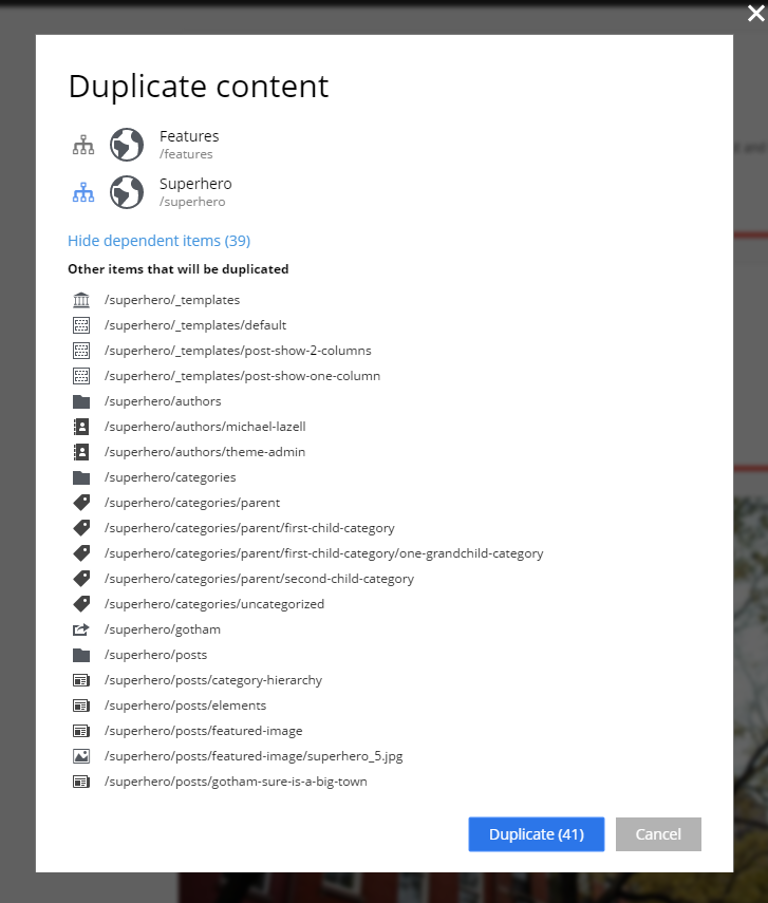
| When Duplicate is invoked from inside the Content Editor, only the item in that editor tab is pre-selected in the dialog. |