Sort
Contents
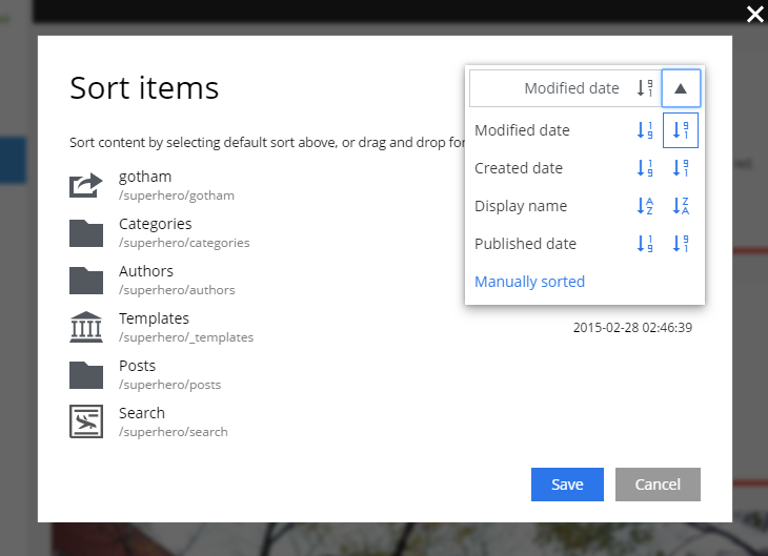
The Sort action launches the Sort items dialog, which configures how the child items of the selected content are ordered — both in the Content Navigator tree and when an application queries for children.
There are two ways to invoke Sort:
-
The Sort button in the toolbar.
-
The Sort entry in the context menu (right-click an item).
The default order is by Modified date descending. Children can also be sorted by Created date, Display name, or Publish date, ascending or descending. For manual ordering, drag rows into the desired order inside the dialog.
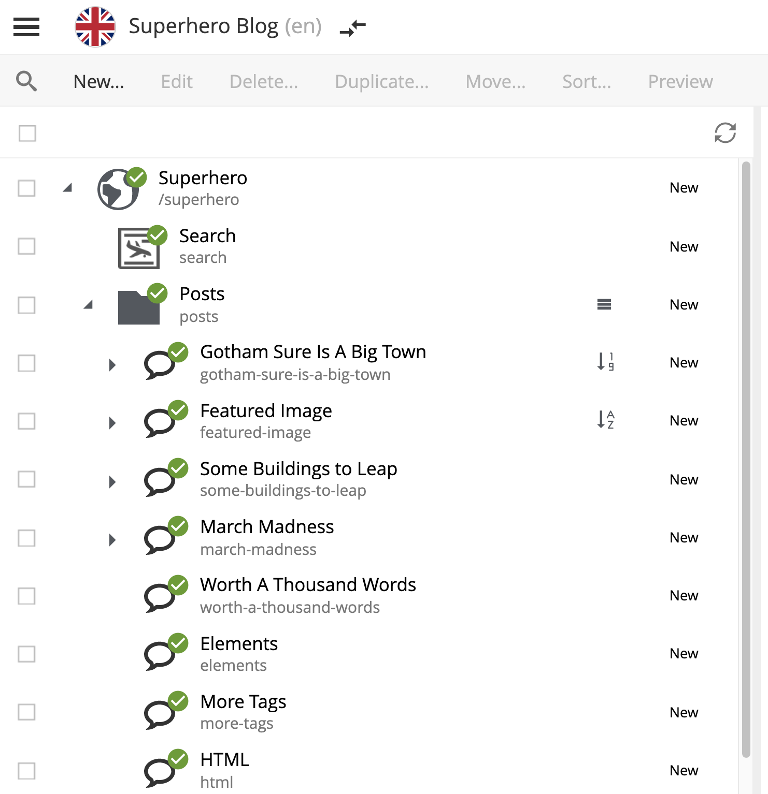
Once saved, the parent content gets an icon in the Navigator grid showing the sort order: an up or down arrow for ascending/descending, or a three-bar icon for manual sorting. Clicking the icon reopens the dialog.
In the example below, /Posts/Featured Image is sorted by Display name ascending, /Posts/Gotham Sure Is A Big Town is sorted by Publish date ascending, and /Posts has manual sorting.