Details
Contents
The Details widget shows the basic properties of the selected content item — the core metadata an editor typically needs to know without opening the item. It is the default widget shown in the Context panel.
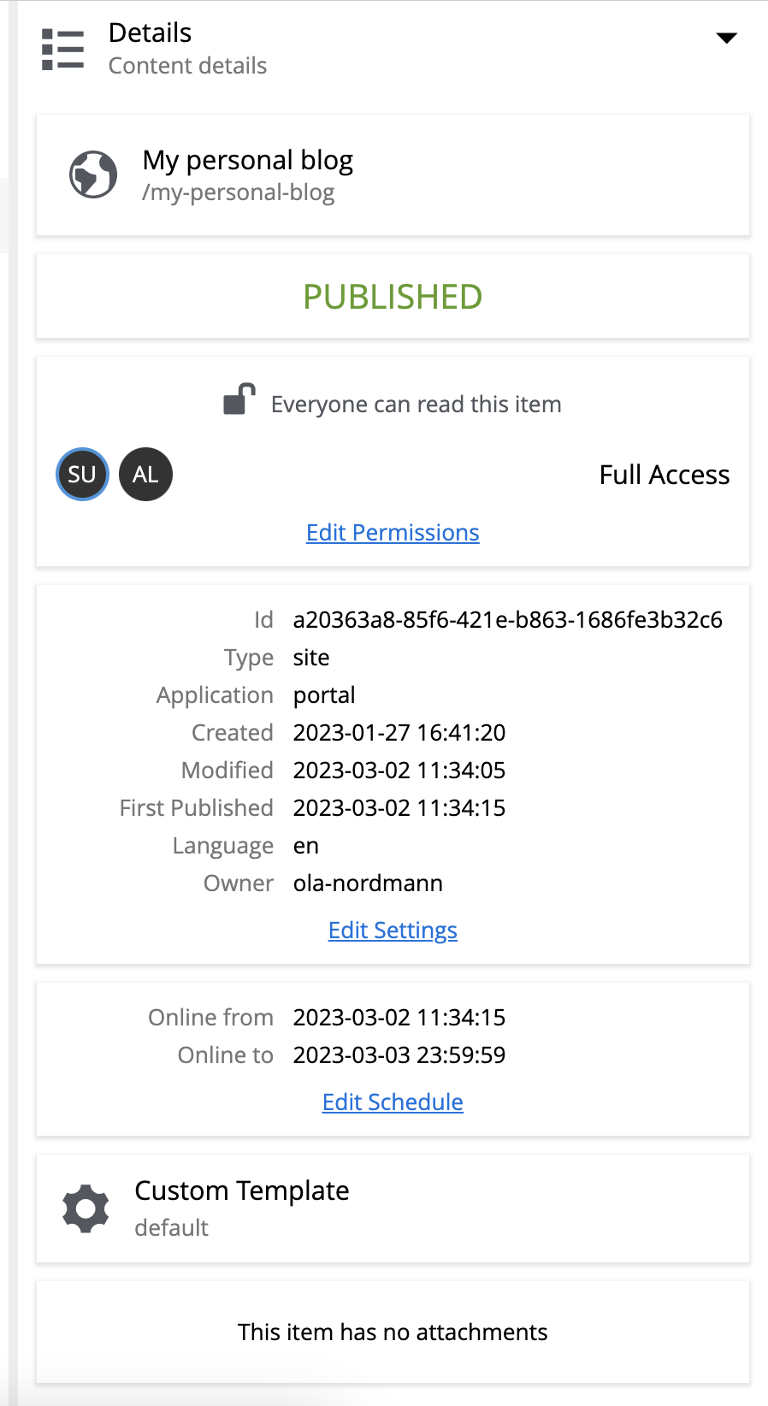
The widget is organised into sections:
- Content
-
Icon, display name, and full content path.
- Status
-
Current content status: New, Modified, Published, Unpublished, or Archived. See Workflow for the state model.
- User access
-
The effective permissions for the current user. The Edit Permissions link opens the permissions dialog.
- Properties
-
Metadata about the content — its type, owner, and created/modified timestamps.
- Schedule
-
The from/to dates the content is scheduled to be online. Only shown for published content that has a schedule configured.
- Page template
-
The page template used to render the content, if any.
- Attachments
-
Downloadable binary attachments on the content item.