Dependencies
Contents
Content items reference each other — pages embed images, shortcuts target content, text fields link to other items. Those references are dependencies. Content Studio tracks them in both directions, and makes them inspectable via the Dependencies widget in the Context panel.
-
An inbound dependency is content that uses the selected item — for example, a page that embeds it, or a shortcut that points at it.
-
An outbound dependency is content that the selected item uses — for example, images referenced in its rich-text fields, or targets of content selectors.
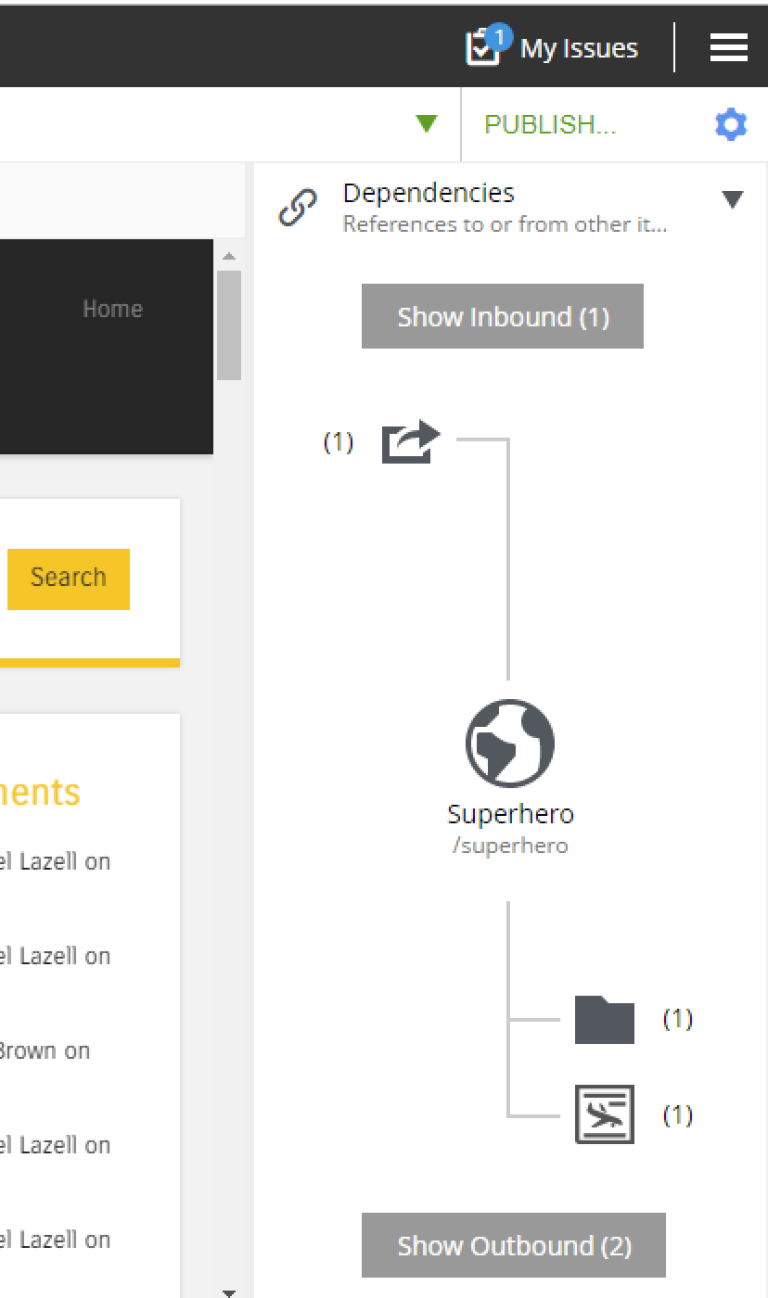
Inbound dependencies are listed above the content box, outbound below. When there are no dependencies of a kind, the widget shows a placeholder (No incoming dependencies, etc.). When there are dependencies, a button displays the total count, with icons and counts broken out per content type.
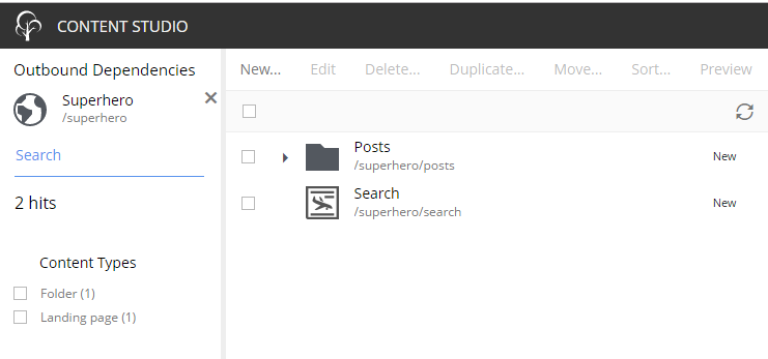
Clicking the count button opens a new browser tab listing all dependencies of that direction. Clicking a per-type icon opens the same view, pre-filtered to that type.
Dependencies and publishing
Dependencies are checked throughout the publishing lifecycle:
-
Publishing automatically includes required inbound dependencies in the batch so the published page does not end up with missing references.
-
Archive warns if another content depends on the item being archived.
-
Unpublish warns if a published content depends on the item being taken offline.