Page templates
Contents
A Page template is a reusable page definition that renders one or more content types as pages. Templates live inside a site’s automatically-provisioned Templates folder, and each one pairs a page controller (the HTML skeleton from an application) with one or more content types that will use it.
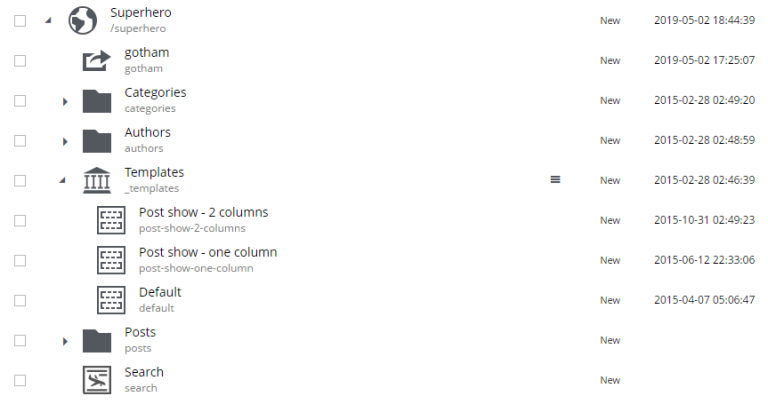
Creating a page template
Create a new Page template content inside the Templates folder. Two fields drive the template:
-
Supports — the content types this template can render.
-
Controller (the selector on the right of the editor) — the page component from an installed application that provides the HTML skeleton. Once a controller is picked, the Page editor becomes active and components can be placed into the controller’s regions.
Which template is used
When several templates support the same content type, the one that appears first in the Templates folder is used by default. Individual content items can override the default via the Page template dropdown in the Inspect tab of the Components widget.
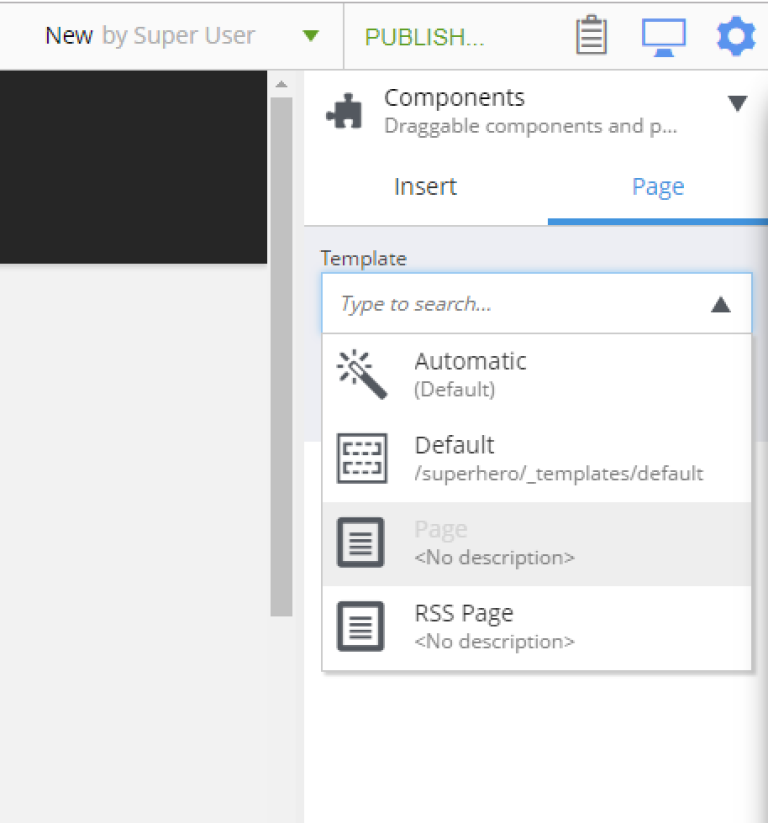
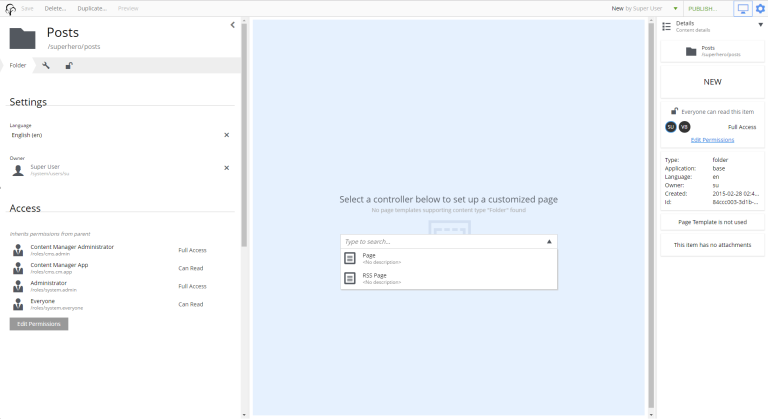
Rendering content without a matching template
Content with no supporting template can still be rendered as a page — for example, rendering a folder called Articles as a listing of its children. Open the content in the editor, pick a page controller from the dropdown in the empty Page editor, and build the page from components as usual.
| Shortcuts cannot use page templates — the shortcut’s redirect fires even if a matching template exists. |