Delete and restore
Contents
Delete moves content and its descendants to the Archive. From there, content can be restored to the active tree or permanently deleted.
| Archiving is available in all Content Studio installations. The Archive browser, Restore, and permanent deletion require a Content Studio+ subscription. |
Delete
Open the Delete dialog using:
-
Delete from the toolbar or context menu.
-
⌘ + Deleteon macOS orCtrl + Deleteon Windows/Linux.
The dialog lists the selected items first, followed by their descendants under Other items that will be archived. Deleting a parent includes all of its descendants and preserves their structure in the Archive. The Delete button shows the total number of affected items when there is more than one.
In the example below, deleting Categories archives the folder and its five descendants. References from other content initially block the action; see Reference checks.
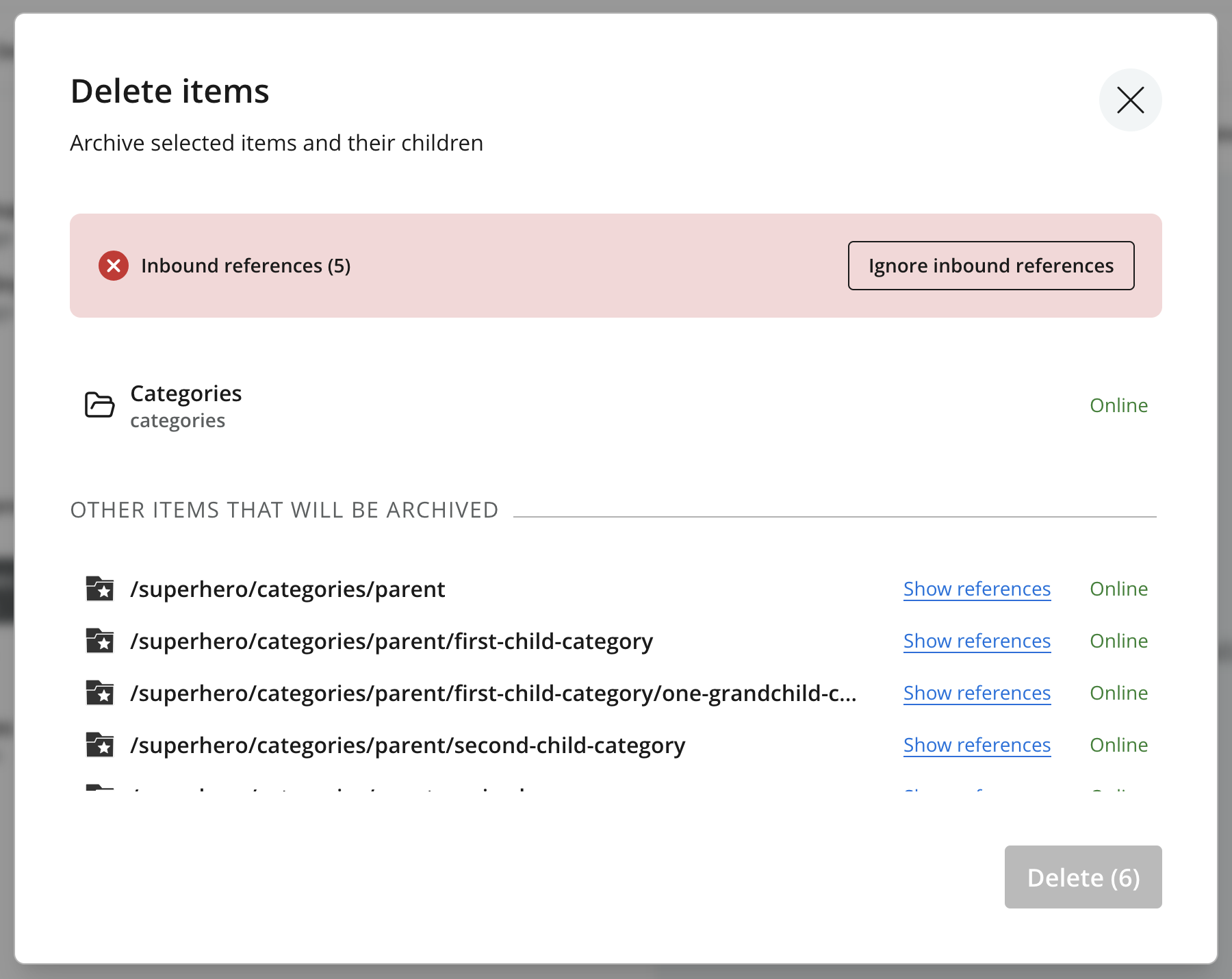
Review the entire list, resolve or ignore any blocking references, then click Delete to archive the listed items. Their attachments and version history are retained for restoration.
| When deleting multiple items or a site, an additional confirmation asks you to enter the total number of affected items. |
| Deleting published content also takes it offline. The archived items are no longer available to end users. |
Reference checks
If any item being deleted is referenced by content outside the selection and its descendants, an inbound-reference warning blocks the action. Remove or replace those references and save the referring items; the dialog updates its checks when the content changes.
See Reference checks for Show references and Ignore inbound references. Ignoring the check leaves references to content that will be in the Archive and unavailable in the active tree.
Restore
Select archived items in the Archive and choose Restore to open the Restore from Archive dialog. It lists the selection and any descendants that will be restored with it. The Restore button shows the total number of affected items when there is more than one.
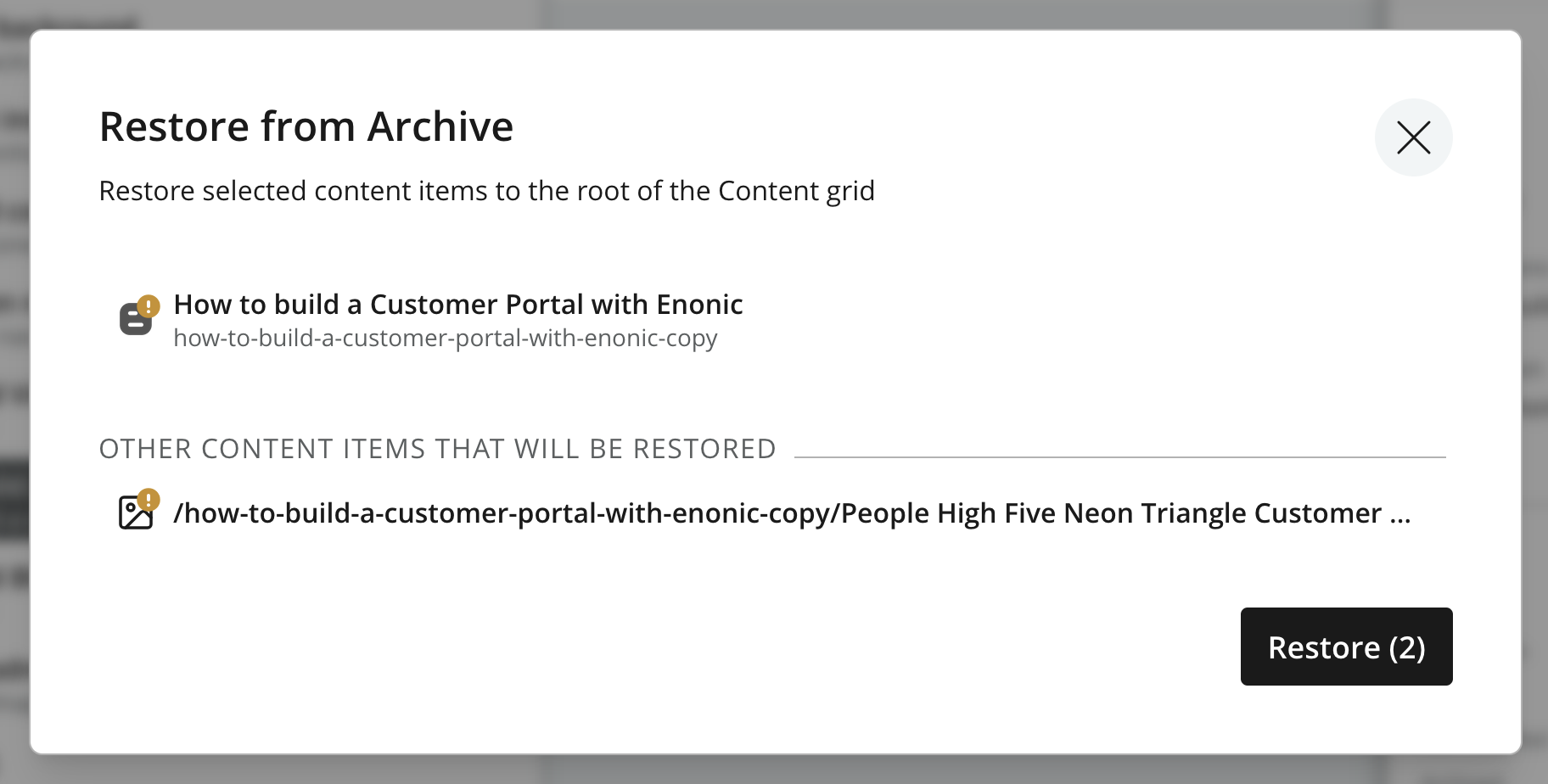
Click Restore to return the listed items to the active tree. Their structure is preserved. Content returns to its original location when that location is available; otherwise, it is restored to the project root.
If an item with the same path already exists at the restore location, the system appends -1, -2, etc. to the restored item’s path. |
Restoring content does not publish it. Review the restored items and use Publish to make them available online. Items restored in a layer become local; see Delete in layers.
Permanent deletion
The Delete action in the Archive permanently removes archived content. Select one or more archived items and choose Delete to open the Delete from Archive dialog.
The dialog lists the selected items and any descendants or other content that will be deleted with them. The Delete button shows the total number of affected items when there is more than one. Deleting a parent also deletes all of its descendants, so review the entire list before confirming.
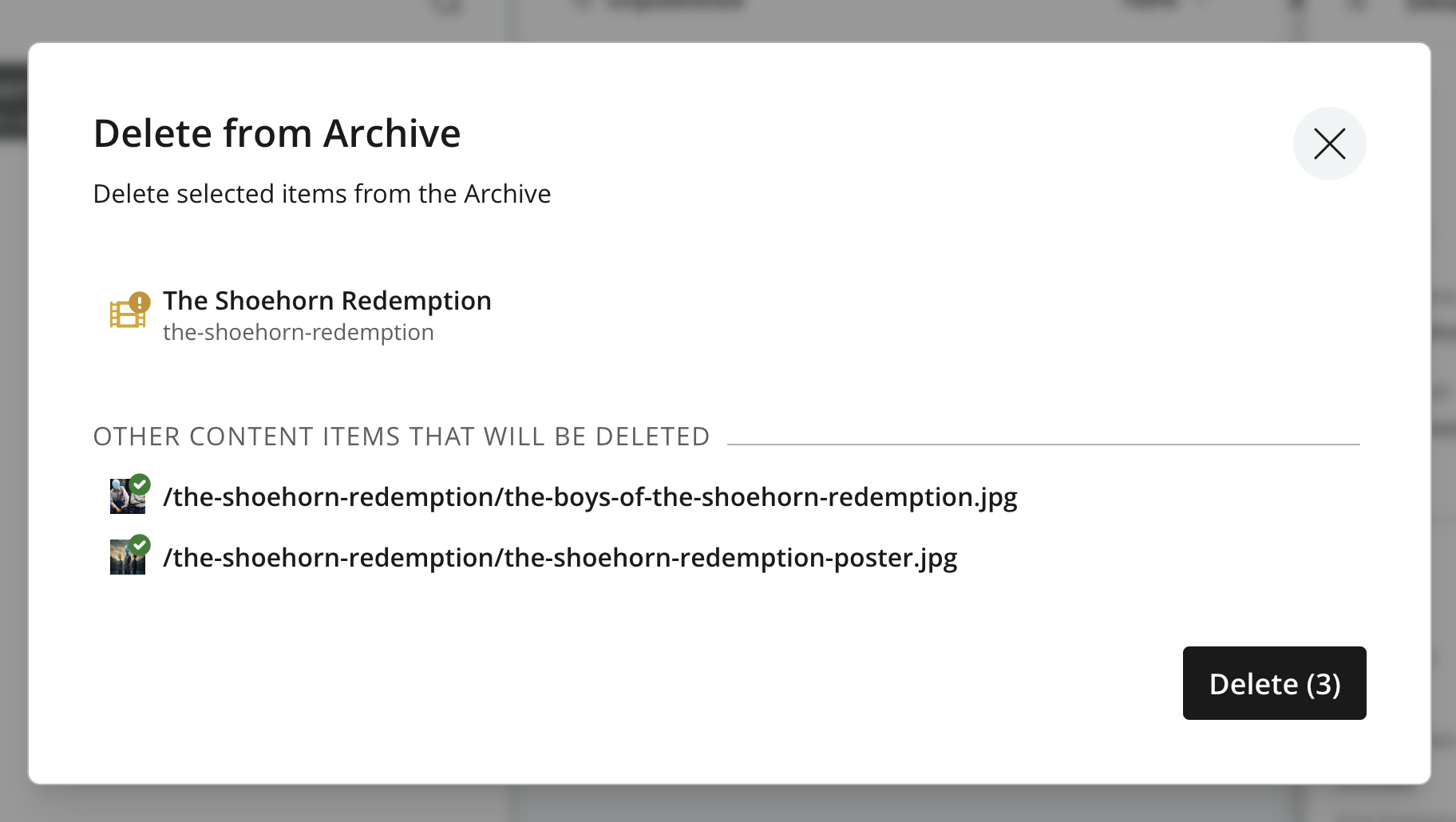
| Permanent deletion removes the archived content, its attachments, and its stored version history. It cannot be undone or restored through Content Studio. Recovery requires an applicable repository snapshot or backup and must be performed outside Content Studio by an administrator. |
The action applies to the current project or layer. Inherited content may reappear after permanent deletion; see Delete in layers.
Delete in layers
Deleting inherited content in a child layer archives that layer’s copy without changing the parent item. The archived copy becomes local and stops receiving inherited changes. Restoring it returns it as local content.
Deleting content in a parent layer also archives corresponding items in descendant layers that still inherit both content and location. Items with either dimension made local, or with external references that block archiving, remain in place.
Permanently deleting an inherited item while it still exists in the parent can cause synchronization to create a fresh inherited copy. To keep inherited content out of the active tree, leave it in the Archive.
See Archive and delete in layers for the inheritance rules and Archive and layers for archive-state propagation.