Archive
Contents
The Archive is a separate storage area where deleted content is held before it is permanently removed.
| Archiving is available in all Content Studio installations: the Delete action moves content to the Archive. The dedicated Archive browser—including browsing, restoring, and permanently deleting archived content—requires a Content Studio+ subscription. |
Introduction
The Archive preserves the structure of removed items (descendants, attachments, version history) so content can easily be restored if it is deleted by mistake.
When a user performs the Delete action from the Navigator or Editor, the item is moved to the Archive. From the Archive, items can be Restored to their original location when possible, or to the project root when the original location is unavailable. They can also be permanently deleted.
Archive browser
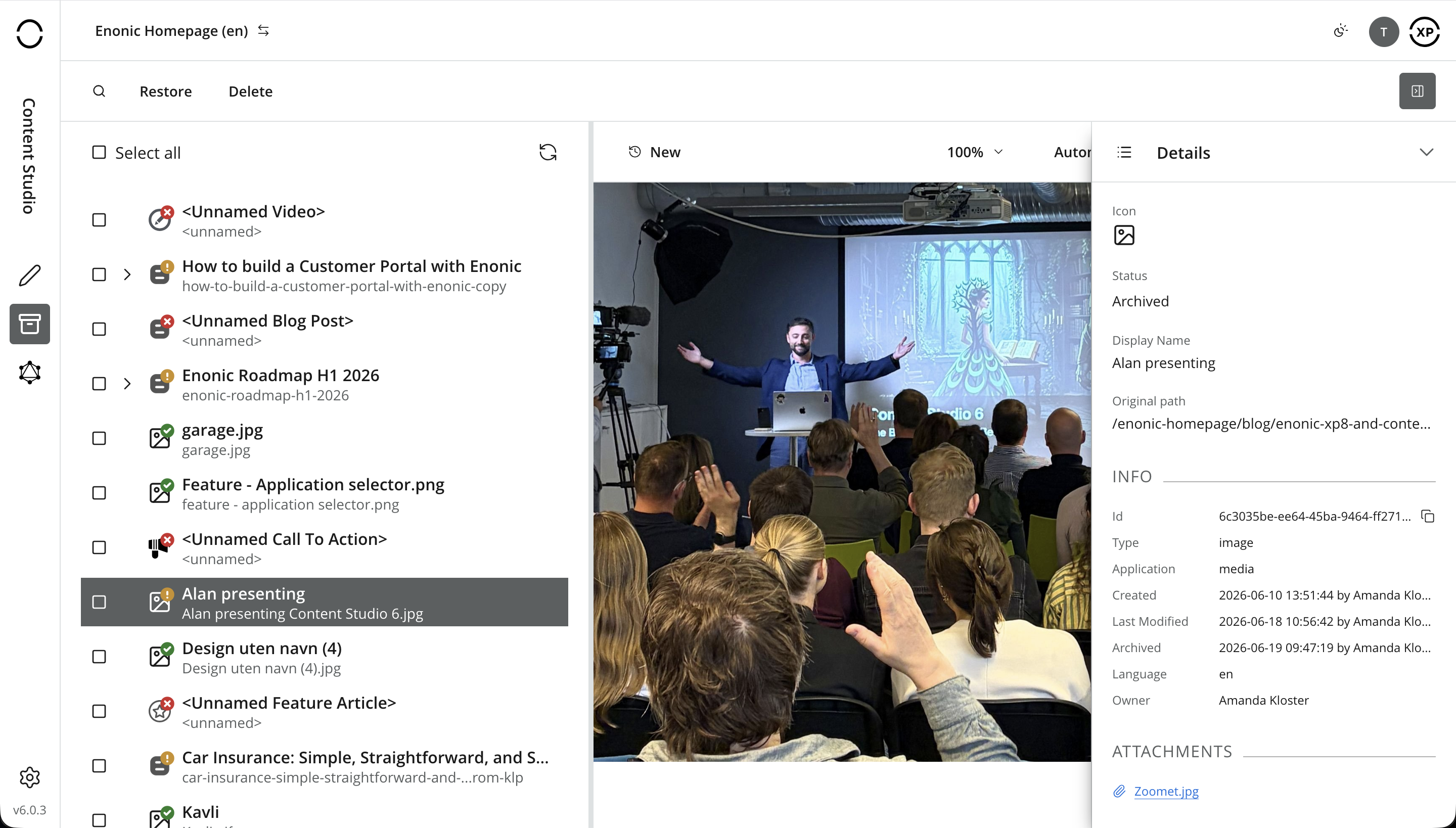
Click the Archive icon in the Content Studio main menu to open the Archive view. It is similar to the Navigator with a few differences:
-
Only two actions are available: Restore and Delete. Restore returns the selected content to its original location when possible, falling back to the project root when necessary. Delete permanently removes the selected content from storage.
-
Preview only works for media items (images, videos, etc.).
-
The panel selector has only two choices: Details and Version history.
The preview panel on the right shows who archived each item, when, and the original location of the item.
Restore
The Restore action returns archived items and their descendants to the active tree. Its reference covers the restore dialog, destination, naming conflicts, and behavior in layers.
Permanent deletion
The permanent Delete action removes archived items, attachments, and version history. Its reference covers the confirmation dialog, affected items, and recovery limitations.
Version history
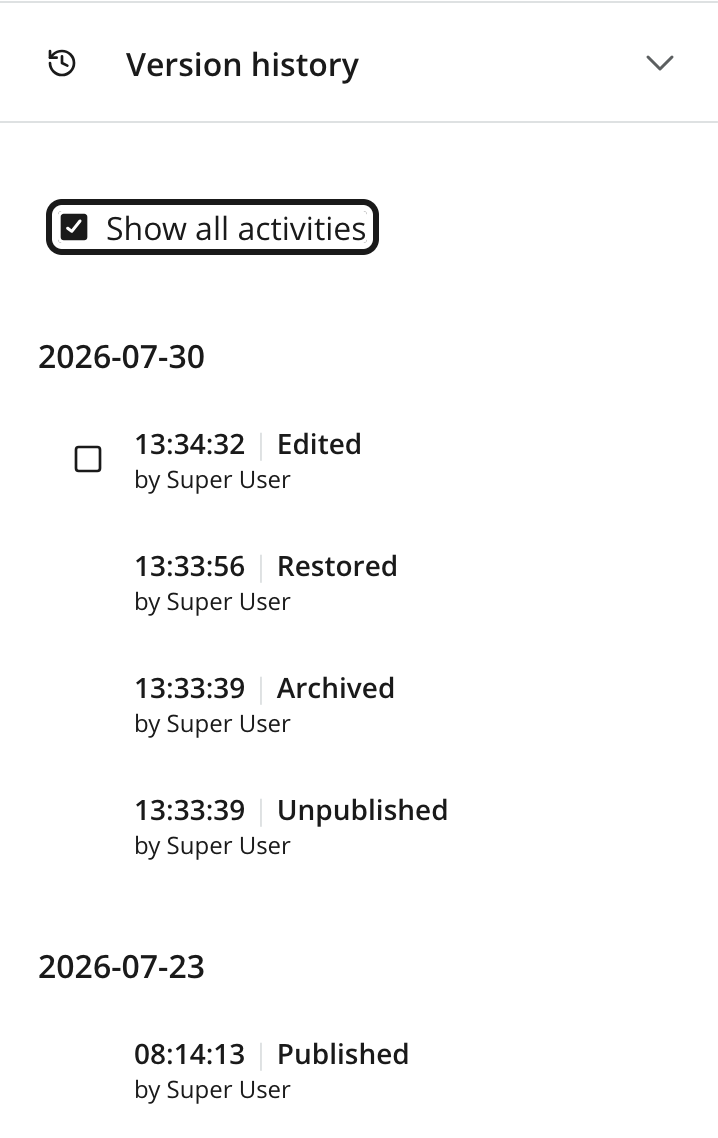
Delete and restore operations will appear as entries in the version history for the content item, making it possible to see when the item was archived and restored, and by whom.
Archive and layers
Archive operations in layers follow the content inheritance model:
-
Archiving an item in a parent layer also archives corresponding items in descendants that still inherit both their Content and Parent dimensions. A descendant remains active if either dimension is local or if inbound references from outside the archived selection prevent it from being archived.
-
Archiving an inherited item directly in a child layer does not affect the parent. The archived copy becomes local and stops receiving inherited changes.
-
A new layer inherits the archive state of its parent. Content already archived in the parent is therefore also archived in the new child layer.
-
Permanently deleting inherited content from a layer’s Archive can cause synchronization to create a fresh inherited copy if the item still exists in the parent layer.
When permanently deleting a localized item, these changes will be lost and cannot be recovered, even if the item is recreated from the parent layer.
See Archive and delete for the relationship between Archive operations and inheritance.