Page template
Contents
A Page template contains a reusable page that supports one or more content types. It defines a Page component and may include configured regions and nested components.
Page templates belong to a Site and live in its automatically provisioned Templates folder. Editors may use page templates as a starting point for their pages, or front ends can resolve page templates automatically when rendering specific content types.
Creating a Page template
Page templates can be created in two ways:
-
Create a Page template content item inside the Site’s Templates (
_templates/) folder. -
Use Save as Template on the Page root of an item-specific page.
A Page template cannot be created outside a Templates folder. See Page root actions for the Save as Template operation.
Template settings
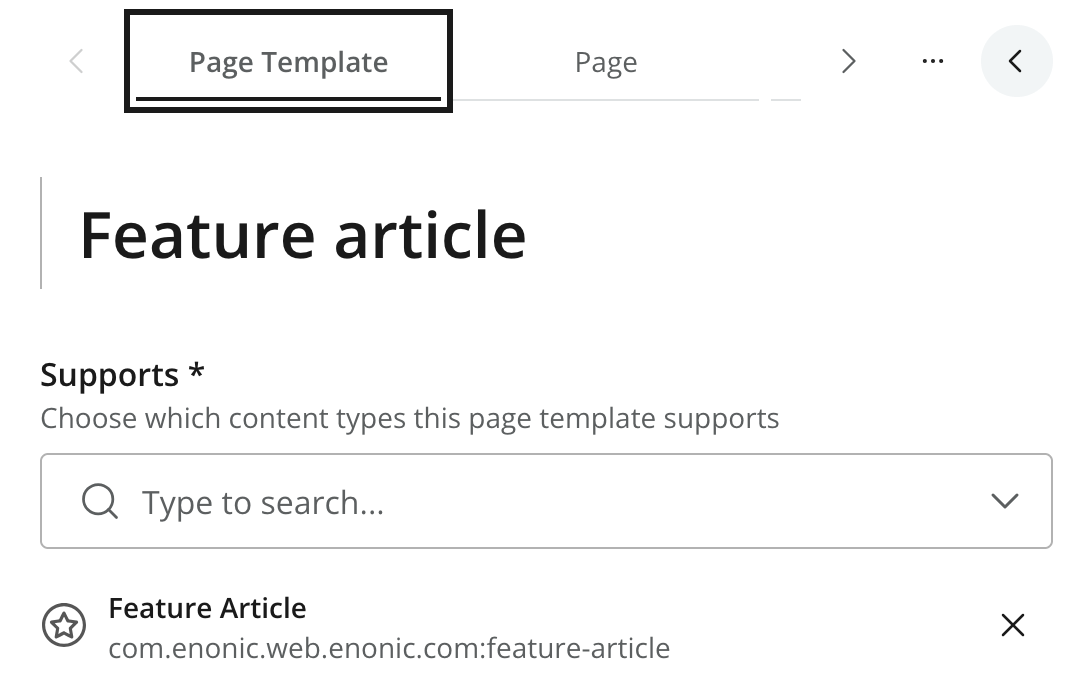
Two settings determine the template’s purpose and structure:
- Supports
-
Specifies the content types for which the template is available. A template may support more than one content type.
- Page
-
Contains the Page component tree and the individual component configurations. Edit it from the Page tab.
The available Page components and their configuration fields are supplied by applications assigned to the Site. See Page editor for the shared Page settings and component-editing interface.
Relationship to content
The Supports setting makes a Page template available to content of the specified types. A content item may use an automatically matched template, an explicitly selected (pinned) template, or an item-specific page created by customization of the template.
These choices are managed through Page settings on each individual content item. Content that pins a template remains linked to it. Customization copies the template’s page structure into the content item so that it can be edited independently.
The front-end integration ultimately determines how Page template and page data are resolved and rendered. See Page settings for the editor-facing behavior, including automatic selection, pinning, and customization.
Editing and publishing
A Page template has its own status, permissions, workflow, publishing state, and version history. Changes are saved to the template’s draft and must be published before they affect published content that uses the template.
| Changes to a page template may affect multiple content items, including content that automatically resolves the template. Preview representative content before publishing substantial changes. The Dependencies context panel can identify explicit template references, but it does not provide a complete list of content matched automatically by content type. |
Limitations
-
Page templates are only available within a Site and can only be stored in that Site’s Templates folder.
-
A Page template can only use components supplied by applications available to the Site.
-
Shortcuts do not use page templates because opening a Shortcut resolves its target instead.
For the underlying content model and template-resolution rules, see the Enonic CMS Page templates reference.